
A good free guitar tuner gets you in tune in under a minute. You just need to know which tool suits your setup and how to use it. This guide compares five free options, from browser tuners to open-source plugins, then walks through tuning acoustic, electric and bass guitar properly.
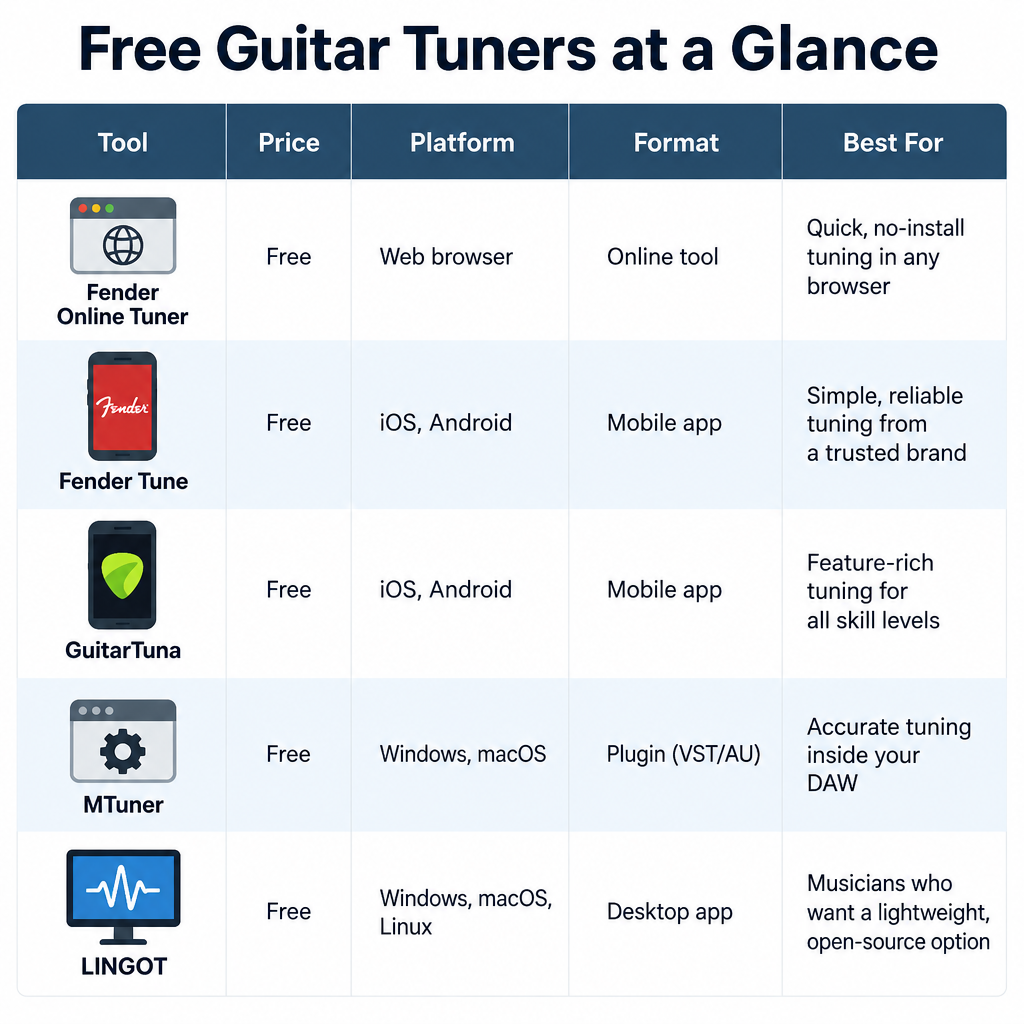
Free guitar tuners side by side
| Tool | Price | Platforms | Format | Best for |
|---|---|---|---|---|
| Fender Online Tuner | Free | Any modern browser | Web app | Quick tuning with no install |
| Fender Tune | Free | iOS, Android | Mobile app | Beginners, alternate tunings |
| GuitarTuna (Yousician) | Freemium | iOS, Android | Mobile app | Players who want games and chords |
| MTuner (MeldaProduction) | Free | Windows, macOS | VST, VST3, AU, AAX | Tuning inside your DAW |
| LINGOT | Free, open source (GPL) | Linux | Standalone app | Linux musicians |
Fender Online Tuner
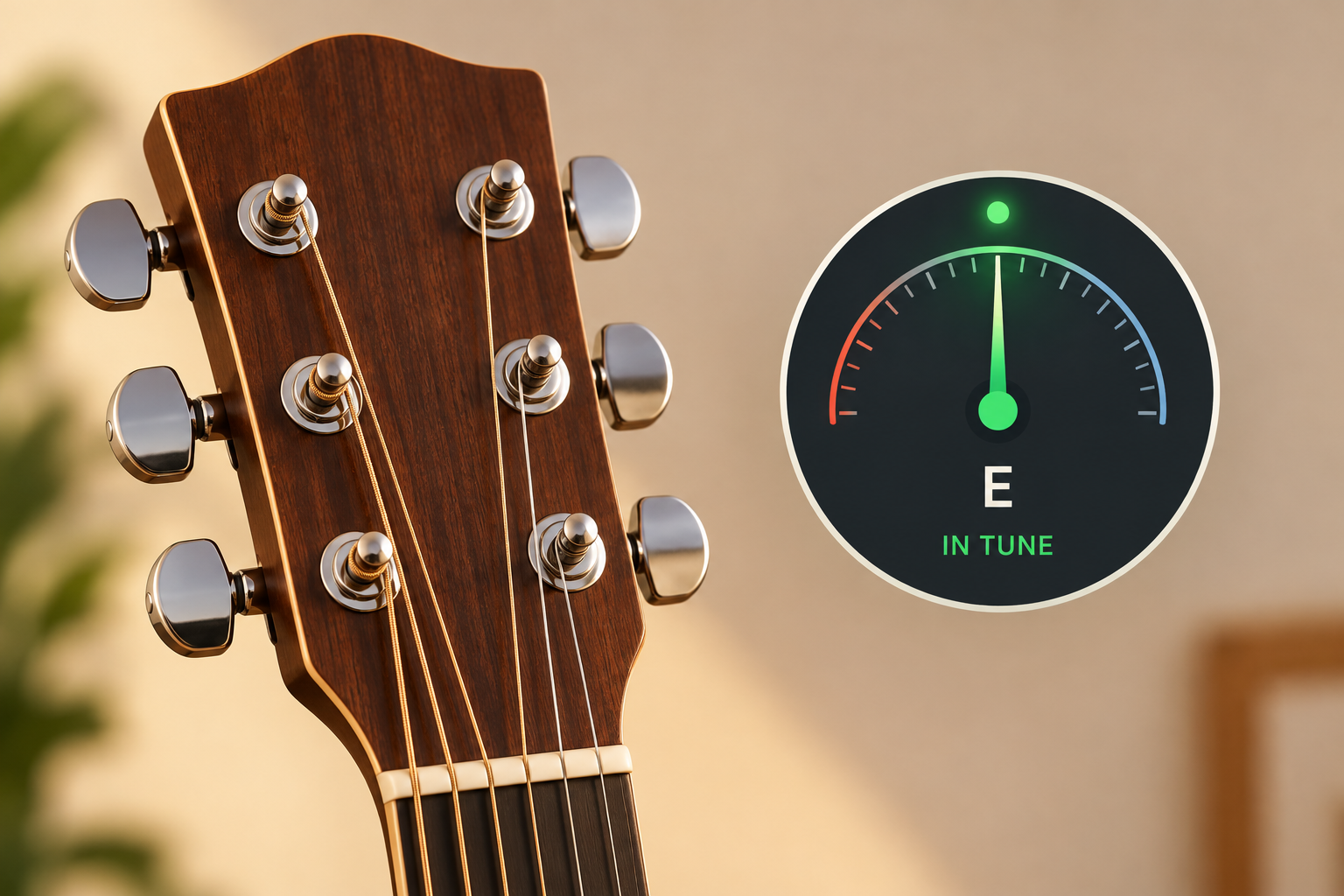
Fender’s browser tuner listens through your computer or phone microphone and shows how far each string is from its target note. If you have no mic, it can also play reference tones for you to tune by ear. It covers guitar, bass and ukulele.
Pros: nothing to install, works on almost any device, reference-tone mode for ear training.
Cons: only as good as your microphone, struggles in noisy rooms, needs an internet connection to load.
Watch out
Browser tuners need microphone permission. If the needle never moves, check the site’s mic setting in your browser and make sure no other app is using the mic.
Fender Tune
The free Fender Tune app does the same job on your phone, with an auto mode that detects which string you’re playing. It also includes a library of alternate tunings, so you can switch to Drop D or half step down without working out the notes yourself.
Pros: free with no paywall on core tuning, clear display for a beginner, works offline once installed.
Cons: the app nudges you towards Fender Play, Fender’s paid lessons service.
GuitarTuna
Yousician’s GuitarTuna is one of the most downloaded tuner apps around. The tuner itself is free, and the app adds chord charts, a metronome and practice games.
Pros: fast, accurate string detection, lots of extras for learning chords.
Cons: ads in the free tier, and many extras sit behind a premium subscription.
MTuner
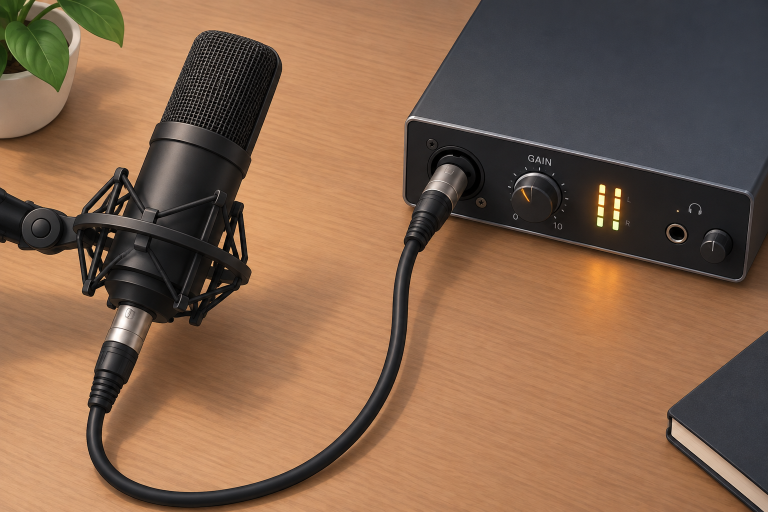
MTuner ships in MeldaProduction’s free MFreeFXBundle. You load it on a track in any DAW, plug your guitar into an audio interface and tune from the direct signal. With no room noise in the way, the reading is far steadier than a phone mic picking up an acoustic. If you record acoustic guitar through a microphone instead, a decent “mic preamp” gives the tuner a cleaner, stronger signal to read.
Pros: rock-solid readings from a direct input, sits in your recording session.
Cons: requires an audio interface and a DAW, and the installer pushes paid Melda bundles.
LINGOT
LINGOT is a GPL-licensed tuner for Linux that works with ALSA, JACK and PulseAudio. It’s a plain gauge with configurable reference pitch and temperaments, built for people who like their tools lean and open.
Pros: fully open source, light on resources, adjustable A4 reference.
Cons: Linux only, dated interface, no tuning presets for beginners.
How to tune your guitar properly
Quick steps: tune a 6-string guitar
- Open your tuner and allow mic access.
- Pluck the low E string once, firmly.
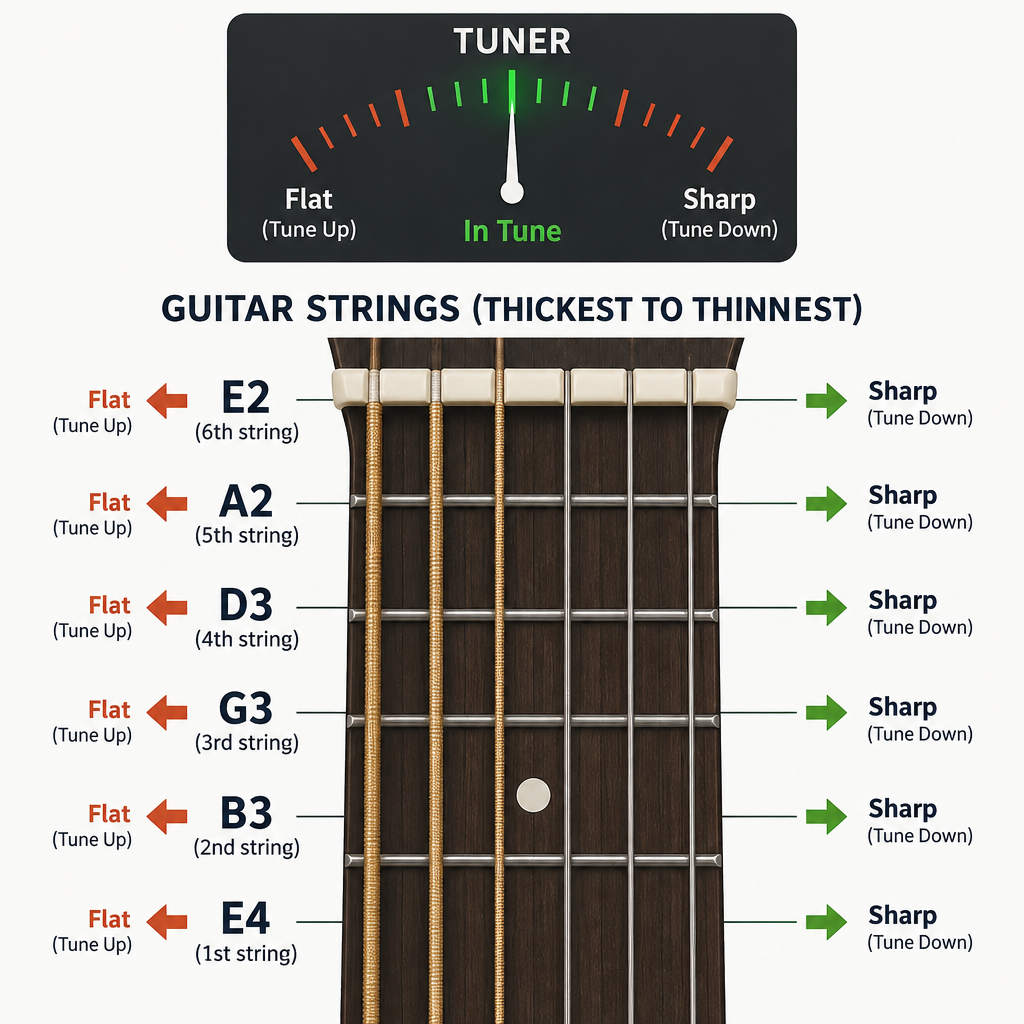
- Read the display: flat means too low, sharp means too high.
- Loosen below the note, then turn the peg up to it.
- Repeat for A, D, G, B and high E.
- Do a second pass to catch drift.
Start with standard tuning
Standard tuning, from the thickest string to the thinnest, is E2, A2, D3, G3, B3, E4. Every tuner assumes a reference of A4 = 440 Hz unless you change it. Leave it there unless your band or a recording uses a different pitch.
Pick once and hold the note
Pluck each string once with medium force and let it ring. Don’t keep picking. The first instant of a note is slightly sharp, so wait a second for the reading to settle.
Sharp vs. flat: always tune up
Flat means the string is below the target note, so you tighten it. Sharp means it’s above, so you loosen it. If you overshoot, drop below the note and come back up. Approaching from below seats the string against the tuning peg and stops it slipping flat mid-song.
Acoustic, electric and bass
On an acoustic, hold your phone 20 to 30 cm from the soundhole in a quiet room. On an electric, plug in if you can, or use the neck pickup for a cleaner tone and turn off any distortion. Bass is tuned E1, A1, D2, G2, and some phone mics struggle with the low E, so a clip-on or a plugin tuner via direct input is the more reliable choice.
Producer tip
Tune with the guitar in playing position and retune after a few minutes of playing. Strings warm up and stretch, and a guitar tuned cold will drift flat.
Alternate tunings
Drop D lowers only the low E to D. Half step down (Eb) lowers every string by one semitone, which is common in rock. Open G and DADGAD change which chords ring out with open strings, so it’s worth knowing which “music scale” a tuning favours before you write in it.
Stay in tune longer
Stretch new strings by gently pulling each one away from the fretboard, then retune. Repeat two or three times. Keep the guitar away from radiators and cold windows. If notes go sharp higher up the neck, compare the 12th-fret harmonic with the fretted note. A mismatch means the intonation needs adjusting, not the tuning.
When you record two takes for a wide stereo guitar, retune between them. Even a few cents of difference causes a wobbly beating effect. That’s why some producers use “automatic double tracking” instead of a second real take.
Which should you choose?
Use the Fender Online Tuner for quick, no-install tuning at a laptop. Pick Fender Tune if you’re a beginner who wants a free phone app with alternate tunings and no paywall. Choose GuitarTuna if you’ll use the chord tools and don’t mind ads. If you record, load MTuner in your DAW and tune from the direct signal. On Linux, LINGOT is the open-source answer.
FAQ
What is the best tuner for a guitar?
For most players, a free app like Fender Tune or a browser tuner is enough. If you record, a plugin tuner such as MTuner fed from an audio interface gives steadier readings than any microphone-based tuner.
Which guitar tuner is the most accurate?
Strobe tuners are the benchmark, and Peterson rates its strobe models to 0.1 cent. Among free tools, accuracy depends more on your signal than the software. A clean direct input beats a phone mic in a noisy room.
What is the tuner on a guitar called?
The knobs on the headstock are called tuning pegs, tuning keys or machine heads. Turning them tightens or loosens each string to change its pitch.
Do you really need a guitar tuner?
Yes, especially as a beginner. You can tune strings relative to each other by ear, but the guitar won’t match A440. That makes playing along with recordings or other musicians sound off.