

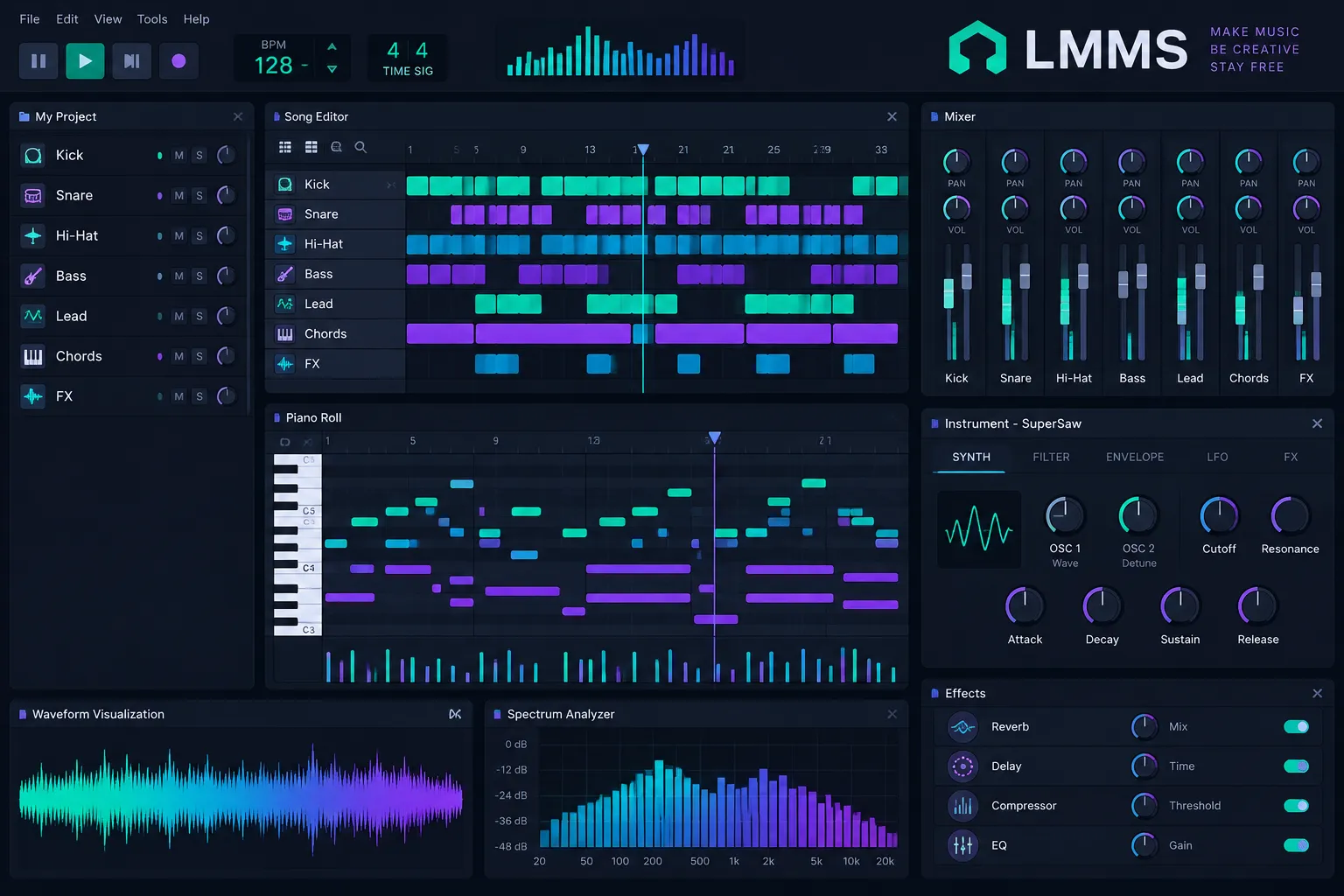
LMMS is a free, open-source music production program for Windows, macOS and Linux. It was built for beats, synths and pattern-based songs, and it costs nothing: there’s no watermark, time limit or paid tier. This guide covers which build to download in November 2026, what’s new in 1.3.0-alpha.2, how VST plugins work, why LMMS can’t record vocals, how it compares with FL Studio, and how to make a first track in about 20 minutes.
Key takeaways
- LMMS is completely free and open source. There are no upsells, watermarks or locked features.
- The last stable release is still 1.2.2 from mid-2020. The 1.3.0-alpha.2 preview came out on September 6, 2026.
- LMMS cannot record audio or vocals. MIDI input works, so you record audio in another program and import it.
- LMMS loads VST2 plugins only. It has no VST3 or CLAP support, and the macOS builds can’t load VSTs at all.
- It suits beatmakers, electronic producers and chiptune fans. Singers and bands should pick a different DAW.
Fact-checked
We checked these key facts against the sources named, on November 20, 2026:
- Try 90 BPM for hip-hop, 124 for house, or 140 for trap and dubstep (source: digitaldjpool.com)
- LMMS is a free digital audio workstation released under the GNU GPL (version 2 or later) (source: en.wikipedia.org)
- It started in 2004 as Linux MultiMedia Studio, which is where the name comes from, but it has run on Windows and macOS for many years (source: en.wikipedia.org)
- LMMS’s February 2026 progress report on GitHub notes that detachable windows were finally merged after users had been asking for them for nearly nine years (source: lmms.io)
- LMMS is free for good, and it runs natively on Linux, which FL Studio doesn’t (source: cyberpanel.net)
Download and install LMMS
You can get LMMS from two official sources: the download page on lmms.io and the releases page of the LMMS/lmms repository on GitHub. Both carry the stable 1.2.2 and the 1.3.0-alpha.2 preview. For a new project, install alpha.2. Stay on 1.2.2 only if you’re finishing old work or swapping project files with other 1.2.2 users.
| Source | Builds offered | Latest release date | Notes |
|---|---|---|---|
| Official download (lmms.io/download) | 1.3.0-alpha.2 and 1.2.2 | September 6, 2026 (alpha.2) | Installers for Windows, macOS and Linux, including ARM64 |
| GitHub releases (LMMS/lmms) | Every tagged release, including alpha.2 | September 6, 2026 (alpha.2) | Same official files, plus the full release notes |
| Flathub (io.lmms.LMMS) | 1.2.2 | July 2020 changelog entry | Community Flatpak for x86_64 and aarch64, about 42 MiB to download |
| Distro repositories (apt, pacman) | Varies by distro | Usually older | Often lag behind and may leave out optional parts |
Skip SourceForge and download portals. The project left SourceForge on February 16, 2015, and the third-party mirrors mostly still host alpha.1 or 1.2.2.
Which build to install
Base the choice on the project you’re about to start, not on which version is newer.
| Build | Released | Platforms | Pick it if |
|---|---|---|---|
| 1.2.2 (stable) | July 4, 2020 | Windows x64, macOS, Linux x64 | You’re finishing 1.2.2 projects or sharing files with 1.2.2 users |
| 1.3.0-alpha.2 (preview) | September 6, 2026 | Windows x64 and ARM64, macOS Intel and Apple Silicon, Linux x64 and ARM64 | You’re starting fresh and want LV2, SlicerT, native Linux VSTs or ARM64 |
| Nightly builds | Ongoing | All | You’re testing a specific fix for the developers |
The developers say alpha.2 isn’t the stable 1.3.0, but they call it more stable than nightly builds and recommend it over them. No date has been announced for stable 1.3.0.
Watch out
The LMMS user manual warns that projects saved in 1.3.0-alpha.2 can’t be reopened in older versions, and that crashes may happen. Copy your project folder before you open 1.2.2 work in the alpha.
System requirements for 1.3.0-alpha.2
According to the alpha.2 release notes, the Linux x86_64 build needs glibc 2.35 or newer (Ubuntu 22.04 or an equivalent distro) and an x86_64-v2 CPU. The Windows ARM64 build needs Windows 11 on an ARMv8.1-A or newer chip, which covers Snapdragon laptops. The 1.3 line has dropped 32-bit builds entirely, so a 32-bit-only machine is stuck on 1.2.2.
Windows
- On lmms.io/download, pick the Windows installer for your chip: x64 for most PCs, or ARM64 for Snapdragon laptops (alpha.2 only).
- Run the .exe and accept the default install folder.
- Launch LMMS. On first run it asks for a working folder where your projects, samples and presets will live.
macOS
- Download the macOS .dmg from lmms.io/download. For alpha.2, choose the Intel (x86_64) or Apple Silicon (arm64) build to match your Mac.
- Drag LMMS into Applications.
- If macOS blocks the first launch, Control-click the app and choose Open.
The macOS builds can’t load VST plugins, which Wikipedia also notes. On a Mac you’re limited to the built-in instruments, LADSPA effects and SoundFonts.
Linux (AppImage, Flatpak, distro packages)
- AppImage (preferred by the LMMS docs): download it, make it executable (
chmod +xon the file, or Properties > Permissions in your file manager), then run it. Everything it needs is bundled inside, and alpha.2 has ARM64 AppImages too. - Flathub:
flatpak install flathub io.lmms.LMMS. The LMMS developers don’t maintain or support this community package, and it still tracks 1.2.2. - Distro packages:
sudo apt install lmmson Debian and Ubuntu, orsudo pacman -S lmmson Arch. Distro versions often lag behind the official release and may leave out optional parts such as FluidSynth, which the SoundFont player needs.
First-launch audio settings
Before you make any music, open Edit > Settings and go to the Audio section. Choose an audio interface there. The LMMS manual recommends SDL on Windows and macOS. On Linux, use PulseAudio (which also works through PipeWire’s Pulse layer), ALSA or JACK. Never leave it on Dummy, because Dummy outputs no sound at all. A sample rate of 44,100 Hz is fine for beatmaking.
Producer tip
If playback crackles, raise the buffer size one step at a time until it stops. A bigger buffer adds latency, so lower it again when you play a MIDI keyboard live, and raise it for heavy mixing sessions.
What is LMMS?
LMMS is a free digital audio workstation released under the GNU GPL (version 2 or later). It runs on Windows, macOS and Linux and is built around patterns, a piano roll and built-in synthesizers. It started in 2004 as Linux MultiMedia Studio, which is where the name comes from, but it has run on Windows and macOS for many years.
Two similar names cause confusion. LMSP is the LMMS Sharing Platform, the project’s site where users upload projects, presets and samples. LM Studio is an unrelated AI app with nothing to do with music.
LMMS file and format support
LMMS is built in the open on GitHub by a volunteer community. This table covers what it reads, writes and hosts.
| Item | Detail |
|---|---|
| Developer | LMMS community, on GitHub (LMMS/lmms) |
| Plugin formats | VST2, LADSPA, LV2 (1.3 line) |
| Sample and instrument formats | SoundFont SF2, GIG, GUS patches, WAV, OGG, FLAC |
| File import | MIDI (.mid), Hydrogen songs (.h2song) |
| File export | WAV, MP3, OGG, FLAC, per-track stems, MIDI |
| Audio recording | No (MIDI and automation recording only) |
Who LMMS is for and who should skip it
LMMS suits you if you make beats, electronic music, game music or chiptune and you write with a mouse or a MIDI keyboard. You don’t need a microphone for that kind of work. The lmms.io home page lists 16 built-in synths, an embedded ZynAddSubFX, 64-bit VST support with a 32-bit bridge, and the SF2, GIG and GUS sample formats. That’s enough to finish complete tracks without buying anything.
Skip it if you record vocals, guitar or a band. LMMS has no audio recording, so you’d switch to another app every session. Ardour, GarageBand and BandLab all record natively.
Did you know?
According to the lmms.io home page, LMMS includes emulations of the Commodore 64 SID chip, the Nintendo NES and GameBoy sound chips, and the Yamaha OPL2. That makes it a chiptune studio the moment it’s installed.
LMMS 1.2.2 vs 1.3.0-alpha.2: version status in 2026
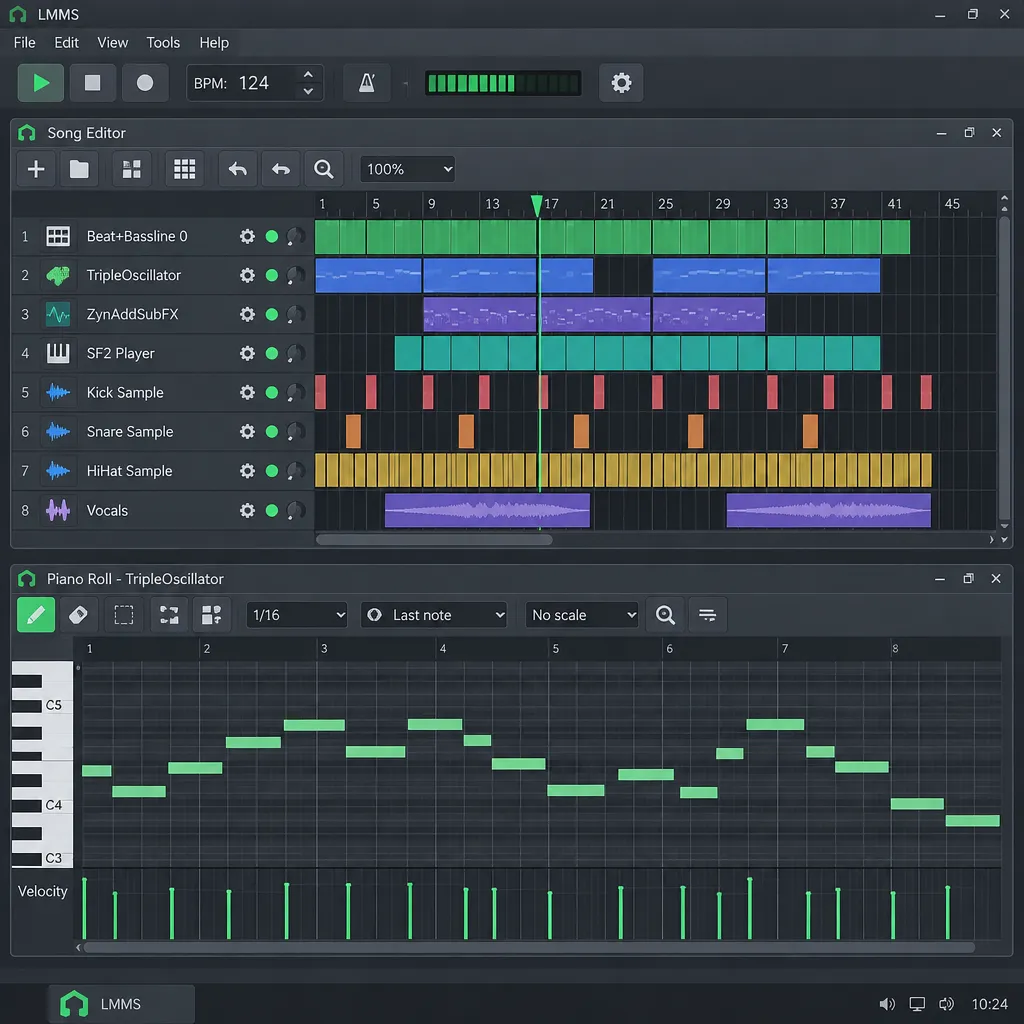
1.2.2 is the safe stable release, and 1.3.0-alpha.2 is a much newer preview that the developers recommend over nightly builds. The project is still active. The long gap between stable releases comes from a large rewrite, not from the project being abandoned.
Wikipedia dates the 1.2.2 release to July 4, 2020, and the old SourceForge listing was last updated on June 12, 2020. The first 1.3 preview, 1.3.0-alpha.1, came out in 2021, and more than five years passed before the next one. The official GitHub discussion announcing 1.3.0-alpha.2 counts 932 commits from 65 contributors since alpha.1.
Development picked up through 2026. LMMS’s monthly progress reports on GitHub describe a feature freeze that ran from spring 2026 until the alpha shipped. The May report, published June 8, said merges were mainly bug fixes and performance work.
| Item | 1.2.2 (stable) | 1.3.0-alpha.2 (preview) |
|---|---|---|
| Release date | July 4, 2020 | September 6, 2026 |
| Status | Stable, proven | Preview; recommended over nightlies |
| Pattern tool name | Beat+Bassline Editor | Pattern Editor |
| Mixer name | FX Mixer | Mixer |
| Detachable windows | No | Yes |
| Microtonal tunings | No | Yes, with keyboard mappings |
| Native Linux VST | No (Windows VSTs only) | Yes |
| LV2 plugins | No | Yes, with Worker support |
| ARM64 builds | No | Windows ARM64 and Linux ARM64 |
| 32-bit builds | Yes | Dropped |
| New native plugins | None | 8, including SlicerT, LOMM, Dispersion |
| Known issues | Few new ones | Possible crashes, VST embedding problems |
What’s new in LMMS 1.3.0-alpha.2
Alpha.2 is the biggest LMMS update since 2020. It adds eight native plugins, detachable windows, microtonal tuning, native Linux VSTs, better LV2 hosting and ARM64 builds. According to the GitHub release notes, these are the changes that matter most:
- Detachable windows. You can pull editors out of the main window, which helps a lot on two monitors.
- Microtonal tunings and keyboard mappings, for scales outside 12-tone equal temperament.
- Native Linux VST support (pull request #6048). Linux users no longer depend on Windows plugins.
- A Tap Tempo tool, for matching the BPM of a reference track.
- New effects, including Dispersion, the LOMM multiband compressor, a Granular Pitch Shifter, SlewDistortion, a Frequency Shifter and an Oscilloscope.
- SlicerT, a sample slicer for chopping breaks and loops.
- Better LV2 hosting, with Worker support (#6484) and better control visualization (#6799).
- Editing upgrades. You can split and resize every type of clip, bend pitch directly in the Piano Roll, and pan the workspace by dragging.
- ARM64 builds for Windows (#7644) and Linux.
AlternativeTo sums the release up as eight new native plugins and ARM64 builds, plus hundreds of bug fixes and many performance improvements. The release notes add one caveat: features in an alpha may still change or be removed before the stable release.
Did you know?
LMMS’s February 2026 progress report on GitHub notes that detachable windows were finally merged after users had been asking for them for nearly nine years.
Renamed features: Pattern Editor and Mixer
Two core tools were renamed in the 1.3 line, which confuses anyone following older tutorials. The changelog lists FxMixer renamed to Mixer (pull request #6239) and Beat/Bassline renamed to Pattern (#6284). When a 2018 video says “Beat+Bassline Editor”, it means the Pattern Editor. “FX Mixer” means the Mixer. The tools work the same way, so the older tutorials are still useful.
Who should upgrade to alpha.2 now
Upgrade now if you’re on Linux and want native VSTs or LV2, if you have an ARM laptop, or if you chop samples and want SlicerT. Wait if you depend on VST plugin windows that misbehave with embedding turned off, or if a collaborator is still on 1.2.2. You can install both versions side by side and open old projects in 1.2.2 until they’re finished.
A tour of the LMMS interface
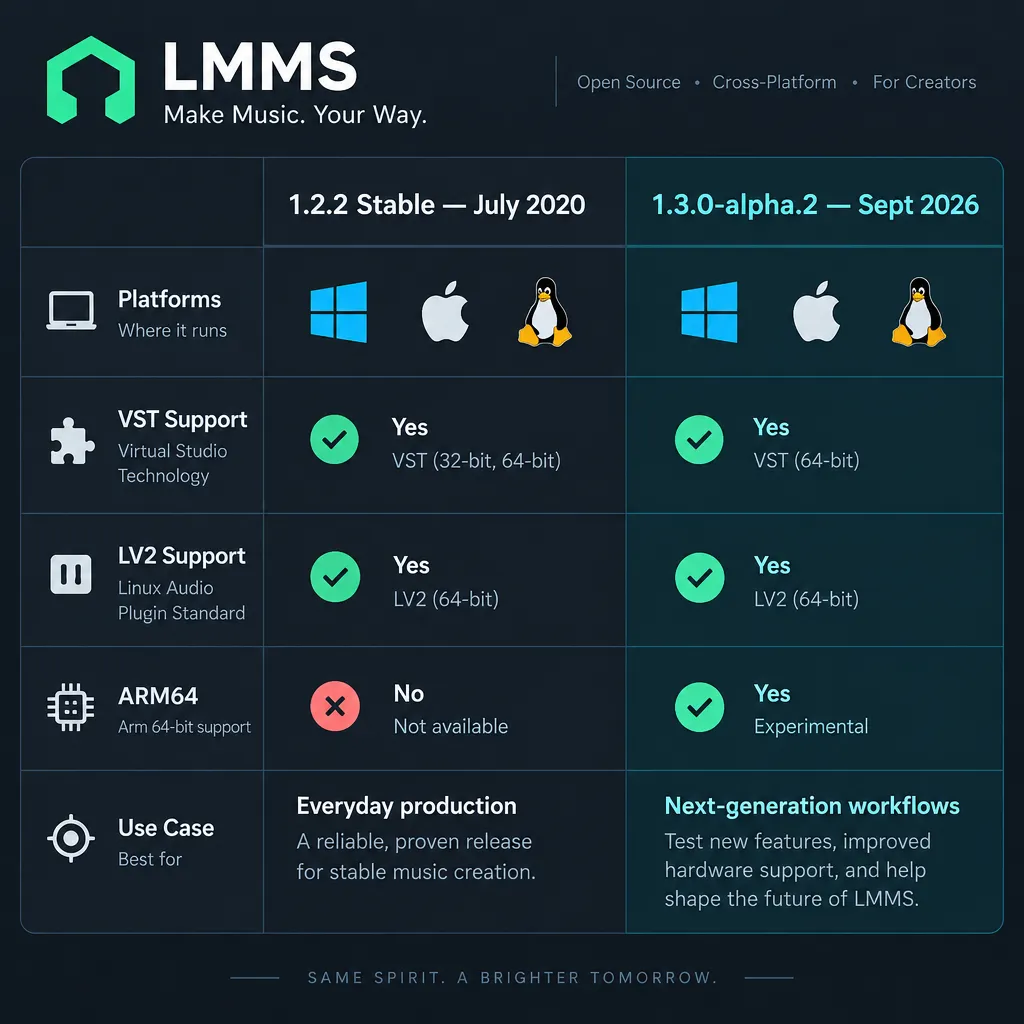
LMMS has five main editors and a sidebar browser on the left. The sidebar holds your projects, samples, presets, instrument plugins and computer files, and you drag things from it into the editors.
Song Editor
The Song Editor is your timeline, and the whole song lives here. Each row is a track: instrument tracks, sample tracks for audio files, pattern tracks and automation tracks. You arrange clips from left to right in bars. In 1.3 you can split and resize any clip.
Pattern Editor (formerly Beat+Bassline)
The Pattern Editor is a step sequencer with 16 steps per bar by default. Click a step to switch a hit on. You build drum loops here, much as you would on a classic drum machine or in FL Studio’s Channel Rack. Each pattern then appears as a clip on a pattern track in the Song Editor.
Piano Roll
The Piano Roll is where you write melodies, basslines and chords. Left-click draws a note, right-click deletes it, and dragging the edge of a note changes its length. You can highlight a scale and stamp whole chords from the chord menu. In 1.3 you can also draw pitch bends directly on notes.
Mixer and effects chains
Every instrument track sends its sound to a Mixer channel. Each channel has its own effects chain, fader and sends, and the SourceForge listing for the 1.2 line gives 64 FX mixer channels. A typical setup puts an EQ and a compressor on the drum channel, reverb on a send and a limiter on the master. Every free DAW uses this layout, so the same ideas carry over when you learn to mix music in other programs.
Automation
Automation tracks move any knob over time, such as a filter cutoff opening over eight bars or a fade on the master volume. Ctrl-drag a knob onto the Song Editor to create an automation track, then draw the curve in the Automation Editor.
How to make your first beat in LMMS (step by step)
You can make a working loop in about 20 minutes. Program drums in the Pattern Editor, write a bass and chords in the Piano Roll, then arrange and export. The steps use the 1.3 names. In 1.2.2, read “Beat+Bassline” for Pattern and “FX Mixer” for Mixer.
Quick steps: first beat in LMMS
- Start a new project and set the tempo.
- Program kick, snare and hats in the Pattern Editor.
- Add a TripleOscillator or LB302 bass.
- Draw chords in the Piano Roll.
- Arrange clips in the Song Editor.
- Route tracks to the Mixer and add effects.
- Export with File > Export.
Set up the project
Choose File > New, then type a tempo into the tempo box in the top toolbar. Try 90 BPM for hip-hop, 124 for house, or 140 for trap and dubstep. In alpha.2 you can use the Tap Tempo tool to tap along with a reference track instead.
Program drums
- Open the Pattern Editor.
- In the sidebar, open the bundled drum samples and drag a kick, a snare and a closed hi-hat into the Pattern Editor. Each one becomes a row.
- For a basic four-on-the-floor beat, click kick steps 1, 5, 9 and 13. Add snare on 5 and 13, and hats on every odd step.
- Press Play in the Pattern Editor to hear the loop. Lower the velocity of every other hat so it sounds less mechanical.
For a synthesized kick, the Kicker instrument builds one from scratch, and you can tune it to your song’s key.
Write a bassline and melody
- Drag TripleOscillator from the Instrument plugins section of the sidebar into the Song Editor. For the squelchy acid sound of a Roland TB-303, use LB302 instead.
- Click in the new track to create a clip, then double-click the clip to open the Piano Roll.
- Draw a one-bar bassline that follows your kick, then copy it across four bars.
- Add another instrument track for chords. Choose a scale from the Piano Roll’s scale menu and stamp chords on the downbeats.
TripleOscillator’s presets cover a lot of ground, so browse the preset folders in the sidebar before you design a sound from scratch.
Arrange the song
Go back to the Song Editor. Click in the pattern track’s bars to place your drum pattern, then drag the bass and chord clips into position. A simple structure works well: 8 bars of chords alone, 16 bars with everything, 8 bars with the drums stripped out, then 16 bars of everything again. Ctrl-drag copies clips.
Mix and export
- Open each instrument’s window and set its Mixer channel. Give the drums, bass and chords a channel each.
- In the Mixer, add an EQ to cut low rumble from the chords, a compressor on the drums and reverb on a send.
- Keep the master meter peaking around -6 dBFS before any final limiting.
- Choose File > Export. Pick WAV for full quality or MP3 or OGG for sharing, and leave the sample rate at 44,100 Hz.
- For stems, choose File > Export Tracks. LMMS writes each track to its own file, ready for mixing in another DAW.
Built-in instruments and effects
LMMS ships with enough synths, samplers and effects to finish a track without any plugins. You’ll get further by learning three or four of them well than by skimming all of them.
| Instrument | Type | Best for |
|---|---|---|
| TripleOscillator | 3-oscillator subtractive synth | Basses, leads, pads; the best first synth to learn |
| LB302 | Roland TB-303 style mono synth | Acid lines, squelchy basses |
| ZynAddSubFX | Deep additive/subtractive/pad synth | Lush pads, evolving textures, huge preset library |
| Monstro | 3-oscillator synth with modulation matrix | Moving, modulated sounds |
| Watsyn | 4-oscillator wavetable synth | Digital leads, bells |
| BitInvader | Simple wavetable synth | Draw-your-own waveforms |
| Organic | Additive organ synth | Organs, soft pads |
| Kicker | Kick and bass drum synth | Tuned kicks, 808-style booms |
| Vibed | Vibrating-string synthesis | Plucks, harp-like tones |
| Mallets | Struck-instrument synth | Marimba, vibraphone, glass |
| SID | Commodore 64 SID emulation | Chiptune, retro leads |
| Nescaline | Nintendo NES chip emulation | 8-bit melodies and noise drums |
| FreeBoy | Nintendo GameBoy chip emulation | GameBoy-style music |
| OpulenZ | Yamaha OPL2 (YM3812) FM emulation | 90s PC game FM sounds |
| sfxr | Port of the sfxr sound effect generator | Game sound effects, zaps, jumps |
| SF2 Player | SoundFont player | Orchestral, piano, General MIDI sets |
| AudioFileProcessor | Sampler | One-shots, drum hits, vocal chops |
| SlicerT (1.3) | Loop slicer | Chopping breakbeats |
Synths worth learning first
Start with TripleOscillator and ZynAddSubFX. TripleOscillator shows oscillators, filters and envelopes on one screen, which makes it a good teacher. ZynAddSubFX has enough depth for years of sound design, and its preset bank covers most genres. Add LB302 if you make acid or techno, and the chip synths if you write game music.
Samplers: AudioFileProcessor, SlicerT, SF2 Player
AudioFileProcessor plays any WAV, OGG or FLAC sample across the keyboard, with start and end points, looping and reverse. SlicerT, new in alpha.2, cuts a loop at its transients so you can play the slices from the Piano Roll. SF2 Player loads SoundFont files, and a free General MIDI SoundFont turns LMMS into a basic orchestral sketchpad.
Native effects
The 1.2.2 effects include an equalizer, a compressor, delay, reverb, Bitcrush, a spectrum analyzer and a set of bundled LADSPA effects. Alpha.2 adds LOMM, a multiband compressor in the style of the “OTT” effect that’s popular in EDM. It also adds Dispersion for laser-like transient smearing, along with the Granular Pitch Shifter, SlewDistortion and Frequency Shifter.
Can LMMS use VST plugins?
Yes, within limits. LMMS loads 64-bit VST2 plugins on Windows, with a bridge for 32-bit ones, and alpha.2 adds native Linux VST2. It doesn’t load VST3 or CLAP, and the macOS builds can’t load VSTs at all.
| Format | Windows | Linux | macOS | Notes |
|---|---|---|---|---|
| VST2 (.dll) | Yes | Windows .dll VSTs via Wine (1.2.2) | No | 64-bit native, 32-bit through a bridge |
| VST2 native Linux (.so) | n/a | Yes, 1.3.0-alpha.2 | n/a | New in the 1.3 line (#6048) |
| VST3 | No | No | No | Not supported in any version |
| CLAP | No | No | No | Not in the alpha.2 changelog |
| LV2 | Limited | Yes, 1.3 line | Limited | Worker support and better controls in alpha.2 |
| LADSPA | Yes | Yes | Yes | Bundled effect sets included |
| SoundFont (SF2) | Yes | Yes | Yes | Linux builds need FluidSynth |
| AU | n/a | n/a | No | LMMS doesn’t host Audio Units |
How to load a VST in LMMS
- Keep all your VST2 files in one folder and set that folder in Edit > Settings so the plugins show up in the browser.
- For a VST instrument, drag the VeSTige instrument into the Song Editor, click its folder icon and choose the plugin’s .dll file (or .so on Linux in alpha.2).
- For a VST effect, open a Mixer channel’s effects chain, click Add effect and pick the VST from the list.
Producer tip
If a VST window looks blank or cut off in alpha.2, open the plugin settings and set VST embedding to No Embedding. The LMMS manual lists this as the fix for the embedding bug in this preview, and it brings back the full plugin window with its menus.
Why your VST3 won’t load
LMMS supports VST 2.x only. A plugin installed only as VST3 (a .vst3 file or folder) won’t appear, however many times you rescan. Get the VST2 build if the developer still offers one. Many new free plugins ship as VST3 and CLAP only. For those, use the LV2 version on Linux in the 1.3 line, or run the plugin inside Carla, which LMMS can load as an instrument on Linux.
VSTs on macOS
No current LMMS build supports VSTs on macOS. If you produce on a Mac and rely on third-party plugins, GarageBand (which hosts AU plugins) is the better free choice.
Best free plugins for LMMS
These free plugins fill the gaps in LMMS’s stock set. Check each one’s formats against the table above before you install it.
| Plugin | Type | Licence | Format to use in LMMS |
|---|---|---|---|
| Vital | Wavetable synth | Free tier (fewer presets and wavetables than paid tiers) | VST2 on Windows |
| Surge XT | Hybrid synth | Open source, GPL3 | LV2 on Linux with the 1.3 line |
| Dexed | Yamaha DX7 FM emulation | Open source | Whichever VST2 or LV2 build your LMMS version accepts |
| LSP Plugins | Compressors, EQs, limiters | Open source | LADSPA or LV2 on Linux |
| Calf Studio Gear | Delay, reverb, multiband compressor | Open source | LV2 on Linux |
Vital’s free tier is a fully working synth, and the upsell only gets you more content. Surge XT ships VST3, CLAP and LV2, so in LMMS it’s mainly an option for Linux users on 1.3.
Can you record audio or vocals in LMMS?
No. LMMS can’t record from a microphone or an audio interface. When users on the LMMS forum ask why the record buttons are greyed out, the answer is always the same: recording works for MIDI and automation only, not audio.
The Audacity workaround
- Export a click track from LMMS, then record your vocal or guitar in Audacity at the same tempo.
- Export the take as a WAV file.
- In LMMS, add a Sample Track and drag the WAV onto it, lined up with the bar where it starts.
- For short one-shots such as a single vocal chop, load the WAV into AudioFileProcessor and play it from the Piano Roll instead.
This works, but you can’t punch in, comp takes or monitor through effects. For anything beyond the odd vocal hook, record in Ardour, which handles multitrack audio and MIDI. At that point your audio interface matters more than the DAW, and it’s also when you need to decide whether you need a mic preamp.
MIDI keyboard recording (which does work)
MIDI recording works fine. Connect a USB keyboard and select its input in Edit > Settings (MIDI section, ALSA or your OS default). Enable the input on an instrument track, open the Piano Roll and press Record. Use “Record while playing” if you want to hear the rest of the song as you play. The notes land in the Piano Roll, where you can quantize and edit them.
MIDI files, Hydrogen songs and controller mapping
LMMS imports standard MIDI files and Hydrogen drum-machine songs, exports MIDI, and lets you link any hardware knob to any on-screen control. These features matter most when you move work between programs or play live.
| Task | Menu path | What you get |
|---|---|---|
| Import a MIDI file | File > Import, choose a .mid file | One instrument track per MIDI track, with notes in the Piano Roll |
| Import a Hydrogen song | File > Import, choose a .h2song file | Hydrogen’s drum patterns as instrument tracks and patterns |
| Export MIDI | File > Export MIDI | A .mid file of your project’s notes, for use in another DAW |
| Map a hardware knob | Right-click a knob > Connect to controller | The knob follows your controller’s CC in real time |
Importing MIDI. Imported MIDI tracks play through the SF2 Player. The LMMS getting-started guide reminds you to set a SoundFont, because otherwise the tracks stay silent. A General MIDI SoundFont gives you instant playback, and you can then swap each track to TripleOscillator or another synth.
Hydrogen songs. Hydrogen is a free, open-source drum machine for Linux, macOS and Windows. Its .h2song files import as patterns, so you can sketch drum grooves in Hydrogen and finish the song in LMMS. Check the imported kit sounds afterwards, because the samples don’t always map one-to-one.
MIDI export. Export MIDI writes notes and timing only, not the synth sounds or effects. When you move a song to another DAW, use it together with File > Export Tracks: the MIDI keeps your parts editable and the stems keep your sound.
Controller mapping. The LMMS manual’s method is to right-click a knob, choose “Connect to controller”, check that MIDI controller and Auto Detect are lit, then move the knob or mod wheel on your device. The Connection Settings dialog shows the detected channel and controller number, and OK confirms the link. Forum reports suggest that linking one physical knob to two LMMS controls, by repeating the process, depends on your device.
Producer tip
Map a filter cutoff to a hardware knob, then press Record while playing. LMMS captures your knob moves as automation, which sounds more natural than curves drawn with the mouse.
LMMS vs FL Studio: is it just as good?
For beats and electronic music, LMMS covers the same core workflow as FL Studio’s entry edition at no cost. FL Studio is faster to work in, has better stock sounds, records audio from the Producer edition up, and loads VST3 and CLAP. Community comparisons often call LMMS “a stripped-down FL Studio”. That’s a fair description of the workflow, but LMMS is a separate project, not a copy.
| Feature | LMMS | FL Studio Fruity | FL Studio Producer and up |
|---|---|---|---|
| Price (US list) | Free | $99 | $199 (Producer); Signature and All Plugins cost more |
| Updates | Free, open source | Lifetime free updates | Lifetime free updates |
| Platforms | Windows, macOS, Linux | Windows, macOS | Windows, macOS |
| Audio recording | No | No | Yes |
| Step sequencer | Pattern Editor | Channel Rack | Channel Rack |
| Piano roll | Yes | Yes, with more tools | Yes, with more tools |
| Plugin formats | VST2, LADSPA, LV2 | VST2, VST3, AU on Mac, CLAP | VST2, VST3, AU on Mac, CLAP |
| Stock instruments | 16 synths plus samplers | Large bundle | Larger bundle |
| Learning resources | Docs, forum, older YouTube | Huge tutorial ecosystem | Huge tutorial ecosystem |
These are Image-Line’s long-standing US list prices. Retail prices vary: tracked US prices for the Signature edition averaged about $267 in 2026. Check the Image-Line store for current offers and upgrade pricing, since you only pay the difference when you move up an edition.
Where LMMS wins
LMMS is free for good, and it runs natively on Linux, which FL Studio doesn’t. FL’s cheaper editions have no direct match for its chip emulations or ZynAddSubFX. The project files are open, and students or hobbyists with no budget get a complete beat studio.
Where FL Studio wins
FL Studio wins on speed and polish. You get a faster workflow, better stock instruments and effects, VST3 and CLAP support, audio recording from Producer up, and far more up-to-date tutorials. Image-Line also updates it regularly, while LMMS went six years between stable releases.
Moving from LMMS to FL Studio later
Your skills transfer directly, because step sequencing, piano roll editing, mixer routing and automation work almost the same way. Your project files don’t. Before you switch, export two things from each song: stems with File > Export Tracks and the note data with File > Export MIDI. FL Studio’s free trial lets you test that move first. Its main limit is that you can’t reopen saved projects until you buy a licence.
So should you learn LMMS or buy FL Studio? If you’re a beginner with no budget, learn LMMS. If you sell beats, want the biggest tutorial base or need to record audio, FL Studio Producer is worth the money.
LMMS alternatives (free and paid)
Choose a different DAW if you record audio, use plugins on a Mac, or want a stable release that’s updated regularly. Audio recording and plugin format support are what separate these options from LMMS, and price only matters after those two.
| DAW | Price (US) | Platforms | Audio recording | Plugin formats | Best for |
|---|---|---|---|---|---|
| LMMS | Free, GPL | Win, Mac, Linux | No | VST2, LADSPA, LV2 | Beats and chiptune on no budget |
| Ardour | Free source; pay-what-you-want binaries | Win, Mac, Linux | Yes, multitrack | VST2, VST3, LV2, LADSPA, AU on Mac | Recording bands and vocals with open-source tools |
| Reaper | $60 discounted licence, $225 commercial; 60-day full trial | Win, Mac, Linux | Yes | VST2, VST3, CLAP, LV2, AU on Mac | All-round power on a small budget |
| GarageBand | Free | Mac only | Yes | AU | Mac users who want simple vocal recording |
| BandLab | Free | Browser | Yes | Built-in effects only | Quick ideas and online collaboration |
| Cakewalk Next | Free with BandLab account; extras via membership | Win, Mac | Yes | VST3 | A modern Cakewalk-style workflow |
| Pro Tools Intro | Free (8 audio, 8 instrument, 8 MIDI tracks) | Win, Mac | Yes, 4 inputs at once | AAX only | Learning the industry-standard studio DAW |
| Logic Pro | $199.99 one-time, or $12.99/month in Apple Creator Studio | Mac only | Yes | AU | Mac producers ready to move past GarageBand |
| Mixcraft 10.6 | $79 Recording Studio, $149 Pro Studio | Windows only | Yes | VST2, VST3 | Windows users who want loops plus recording |
Quick verdicts
- Ardour: the open-source pick once you need to record a band. It’s harder to learn than LMMS, but it’s a complete recording studio.
- Reaper: the best-value paid option. The discounted licence covers personal use and businesses with yearly gross revenue of $20,000 or less.
- GarageBand: the default free choice on a Mac, and the easiest route to Logic Pro, which opens GarageBand projects.
- BandLab: good for sketching on any computer, but too limited to replace a desktop DAW.
- Cakewalk Next: worth a try on Windows if you liked the old Cakewalk. Check BandLab’s site for which features need a membership.
- Pro Tools Intro: free, but the limit of 8 audio tracks and 8 instrument tracks and the AAX-only plugins make it a learning tool rather than a place to produce.
- Logic Pro: the strongest Mac upgrade for the money, with a huge stock library. There’s no Windows or Linux version.
- Mixcraft: an easy, loop-friendly Windows DAW. Acoustica often runs sales well below list price.
If you’re still unsure what a DAW should do for you, answer two questions first: do you record audio, and which plugin formats do you rely on? Those two answers rule out most of this table.
Troubleshooting common LMMS problems
Most LMMS problems come from audio settings, plugin formats or Linux display servers. These fixes cover the common ones.
| Problem | Likely cause | Fix |
|---|---|---|
| No sound at all | Audio interface set to Dummy, or the wrong backend | Edit > Settings > Audio: pick SDL (Windows, macOS) or PulseAudio, ALSA or JACK (Linux), then restart LMMS |
| No sound with JACK | JACK not running or not routed | Start JACK with a tool such as qjackctl and connect LMMS to your sound card |
| Crackles and dropouts | Buffer too small for the project | Raise the buffer size in Edit > Settings |
| Imported MIDI is silent | No SoundFont loaded in SF2 Player | Load an SF2 file, or switch the tracks to a built-in synth |
| Hardware knob does nothing | MIDI input not enabled or not mapped | Set the MIDI input in Edit > Settings, then right-click the knob > Connect to controller |
| VST window blank or cut off | Embedding bug in alpha.2 | Set VST embedding to No Embedding |
| VST doesn’t appear | It’s VST3, or you’re on macOS | Use the VST2 .dll on Windows, or LV2 on Linux |
| Drag and drop fails on Linux | Wayland session | Launch LMMS with QT_QPA_PLATFORM=xcb so it runs through XWayland |
| SF2 Player missing on Linux | Build without FluidSynth | Install the official AppImage, or a distro package with FluidSynth support |
| Alpha.2 AppImage won’t start | glibc older than 2.35 | Update to Ubuntu 22.04 or an equivalent distro, or stay on 1.2.2 |
| Old project won’t open | Saved in 1.3.0-alpha.2 | Open it in alpha.2 |
If LMMS goes silent on Linux, check the audio interface setting first. Switching sound systems can leave LMMS set to Dummy the next time it launches.
Making the most of LMMS from here
Finish one complete track, even a rough one, before you install a single plugin. Build it with TripleOscillator, Kicker, the bundled samples and the native effects. Export it and listen on headphones, earbuds and a car stereo, and the weak spots will tell you which free plugin or skill to work on next. After that, browse the LMMS Sharing Platform for real projects you can open and take apart.
FAQ
What is LMMS software?
LMMS is a free, open-source digital audio workstation for Windows, macOS and Linux. It has a song timeline, a step sequencer, a piano roll, a mixer and built-in synths. The name comes from Linux MultiMedia Studio, its original title in 2004.
Is LMMS really free?
Yes. LMMS is released under the GPL, with no paid tier, watermark, time limit or feature lock. The only costs are third-party plugins or sample packs you choose to buy elsewhere.
Where do I download LMMS safely?
Use lmms.io/download or the GitHub releases page for LMMS/lmms, which are the official sources. The old SourceForge listing stops at 2020-era builds, and download portals often carry outdated versions.
What is the latest version of LMMS?
The latest stable version is 1.2.2, from July 2020. The newest preview is 1.3.0-alpha.2, released September 6, 2026, which the developers recommend over nightly builds.
Is LMMS still being developed?
Yes. The 1.3.0-alpha.2 release in September 2026 contained 932 commits from 65 contributors, and the team publishes monthly progress reports on GitHub.
Should I use the nightly or the alpha build?
Use the alpha. The LMMS team says 1.3.0-alpha.2 is more stable than nightly builds and recommends it over them. Nightlies are mainly for testing fixes.
Will my old projects open in the new version?
Projects from 1.2.2 open in 1.3.0-alpha.2. It doesn’t work the other way round: once you save a project in alpha.2, older versions can’t open it, so back up first.
Does LMMS run on 32-bit computers?
Only version 1.2.2. The 1.3 line has dropped 32-bit builds, and the alpha.2 Linux build also needs glibc 2.35 or newer.
Can LMMS use VST?
Yes. It loads VST2 plugins on Windows (64-bit, with a 32-bit bridge) and on Linux, and alpha.2 adds native Linux VSTs. The macOS builds don’t support VSTs.
Does LMMS support VST3?
No. LMMS loads VST 2.x only, and the alpha.2 changelog adds neither VST3 nor CLAP. Use a plugin’s VST2 build, or its LV2 version on Linux.
Can LMMS import and export MIDI files?
Yes. File > Import opens .mid files and Hydrogen .h2song files, and File > Export MIDI saves your project’s notes as a .mid file. Imported MIDI plays through the SF2 Player, so load a SoundFont first.
Can I use a MIDI controller’s knobs in LMMS?
Yes. Right-click any on-screen knob, choose “Connect to controller”, enable Auto Detect and move the hardware knob. LMMS links the two by MIDI channel and controller number.
Does LMMS work on Mac?
Yes. The 1.3 preview has builds for both Intel and Apple Silicon Macs. The big limit is plugins: the Mac builds can’t load VSTs, so you rely on the built-in instruments, LADSPA effects and SoundFonts.
Can you record vocals in LMMS?
No. LMMS has no audio or microphone recording. Record vocals in Audacity, export a WAV and drag it onto a Sample Track. For regular vocal work, a recording DAW such as Ardour or GarageBand is a better fit.
How do I create music on LMMS?
Set a tempo, program drums in the Pattern Editor, and write a bassline and chords in the Piano Roll with TripleOscillator. Then arrange the clips in the Song Editor, add effects in the Mixer and export with File > Export.
Is LMMS just as good as FL Studio?
For beats and electronic music, it’s good enough to learn on and to finish real tracks. FL Studio is faster and more polished, records audio from the Producer edition up and supports VST3. LMMS is free and runs on Linux.
Is LMMS better than Pro Tools Intro or GarageBand for a beginner?
For beats and electronic music, LMMS is the easier free place to start. For recording vocals or instruments, choose GarageBand on a Mac, or Pro Tools Intro if you can live with its limit of 8 audio tracks and 8 instrument tracks and its AAX-only plugins.
Is LMMS good for beginners?
Yes, for beatmaking and electronic music. The interface looks busy at first, but the Pattern Editor and Piano Roll are quick to learn. Older tutorials still apply once you know that Beat+Bassline is now the Pattern Editor and the FX Mixer is now the Mixer.
Keep reading
Free music tools
Editorial notes
- Fact-checked by Vivian Osei against the sources listed below before publication.
- Published
Sources (8)
- LMMS 1.3.0-alpha.2 is out! · LMMS/lmms · Discussion #8536 (github.com)
- Release 1.3.0-alpha.2 · LMMS/lmms · GitHub (github.com)
- LMMS 1.3.0-alpha.2 is out! (lmms.io)
- LMMS releases 1.3.0-alpha.2, bringing the long-awaited DAW's update closer to stable (alternativeto.net)
- LMMS – Wikipedia (en.wikipedia.org)
- LMMS Home (lmms.io)
- Download LMMS (lmms.io)
- Welcome to LMMS – User manual (docs.lmms.io)