
For most home recording, you do not need a separate mic preamp. Your audio interface already has one built in, and a modern one is clean enough for vocals, guitar and podcasts. You need an upgrade when your mic needs more gain than your interface can give without hiss. That usually means a low-output dynamic or ribbon mic.
What a mic preamp actually does
A microphone puts out a tiny signal. Engineers call it mic level. It sits far below the line level your interface’s converter expects.
A mic preamp boosts that weak signal up to line level. Pro gear runs at +4 dBu. Consumer gear runs at −10 dBV.
That boost is called gain, and it is measured in decibels. More gain means a louder signal. The catch is noise. Every preamp adds some hiss, and cheaper circuits add more as you turn them up.
So a preamp’s real job is simple. It gives you enough gain, cleanly.
You already own a mic preamp
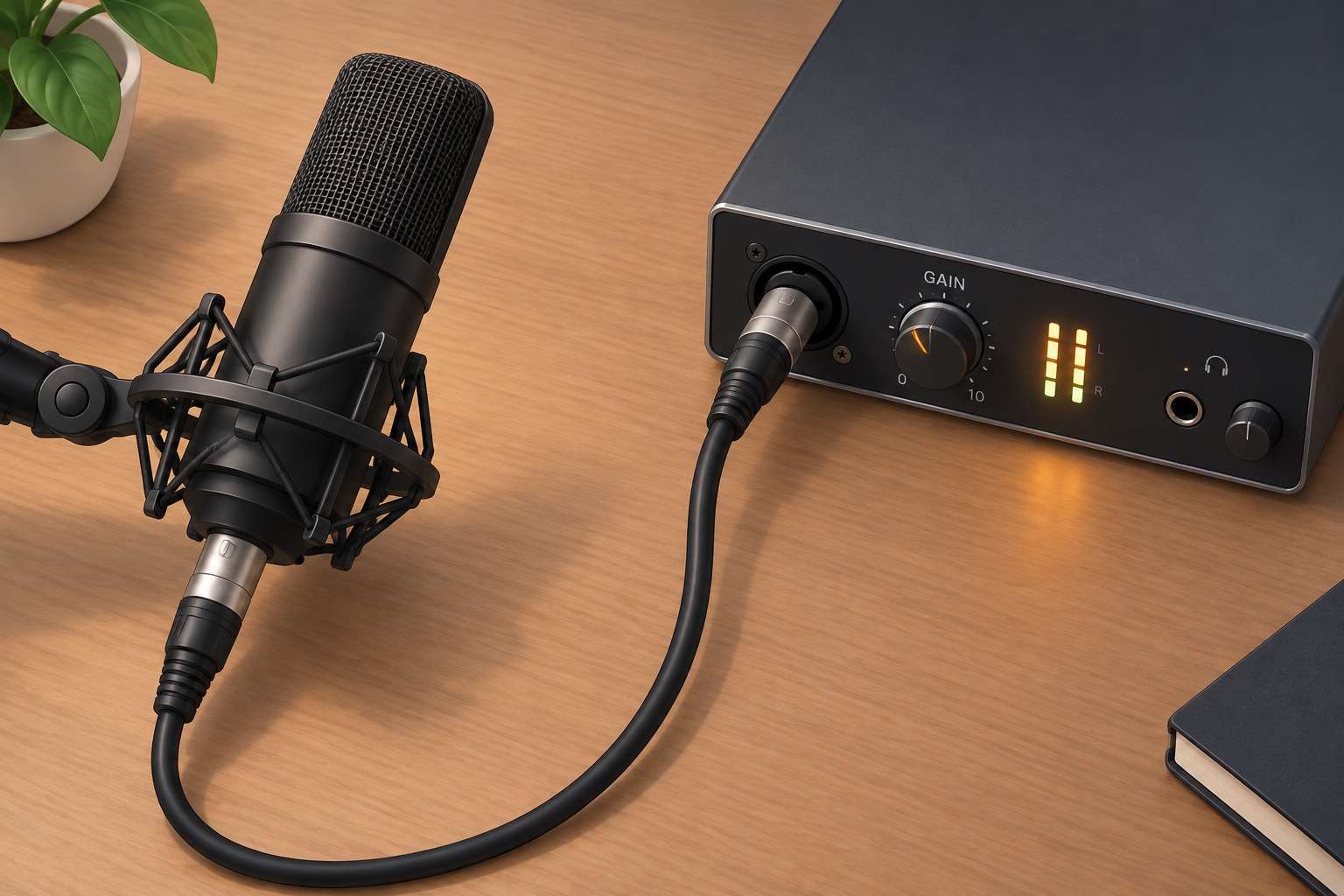
If you record through a USB audio interface, you have at least one mic preamp. Each XLR input with a gain knob is one.
A two-input interface gives you two preamps. That is enough for stereo recording, like a pair of mics on an acoustic guitar.
USB microphones go further. The preamp and converter live inside the mic body. You plug in and record.
This is why the “do I need a preamp” question confuses people. Forum threads compare standalone preamps as if you had none. You do. The real question is whether yours is good enough for your mic.
The 60 dB test: when your interface runs out of gain
The spec that matters most is maximum gain. Check it on your interface’s spec sheet.
Then look at your mic’s sensitivity, listed in mV/Pa or dBV/Pa. Lower numbers mean a quieter mic that needs more gain.
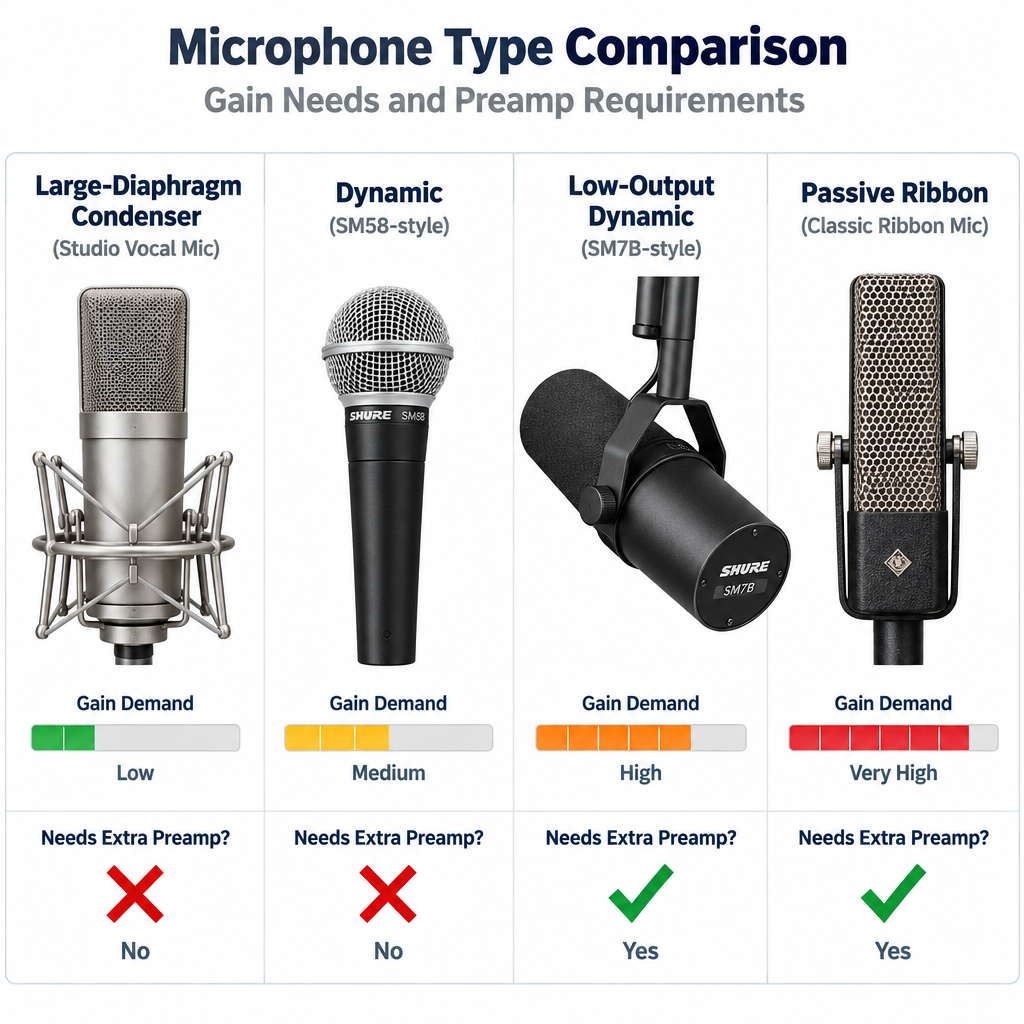
The Shure SM7B is the classic example. Its output is about 1.12 mV/Pa, and it is widely cited as needing around 60 dB of clean gain for spoken word. Many older entry-level interfaces top out in the mid-50s dB. Push them to the end of the knob and you hear hiss.
Newer interfaces have closed that gap. Focusrite lists a gain range of 69 dB on its 4th-generation Scarlett models, for example. Always check the current spec sheet for your exact model, because figures change between generations.
Here is a rough guide to how hard each mic type pushes your preamp:
| Mic type | Typical output | Gain demand | Needs extra preamp? |
|---|---|---|---|
| Large-diaphragm condenser | High | Low to moderate | Almost never |
| Small-diaphragm condenser | High | Low to moderate | Almost never |
| Dynamic (SM58 style) | Moderate | Moderate | Rarely |
| Low-output dynamic (SM7B style) | Low | High, ~60 dB | Often, on older interfaces |
| Passive ribbon | Very low | Very high | Often |
Condensers need phantom power, but they are loud. Your interface’s preamp barely works with them.
Dynamics on loud sources are easy too. A dynamic on a guitar amp or snare drum gets plenty of level. Trouble starts when you speak quietly into a low-output dynamic from a few inches away.
Producer tip
Before buying anything, record a test at your normal speaking volume. If your peaks reach around −18 to −12 dBFS with the gain below about 80% of the knob, your preamp is fine. Hiss you only hear with headphones cranked will vanish in a mix.
Three ways to get more clean gain
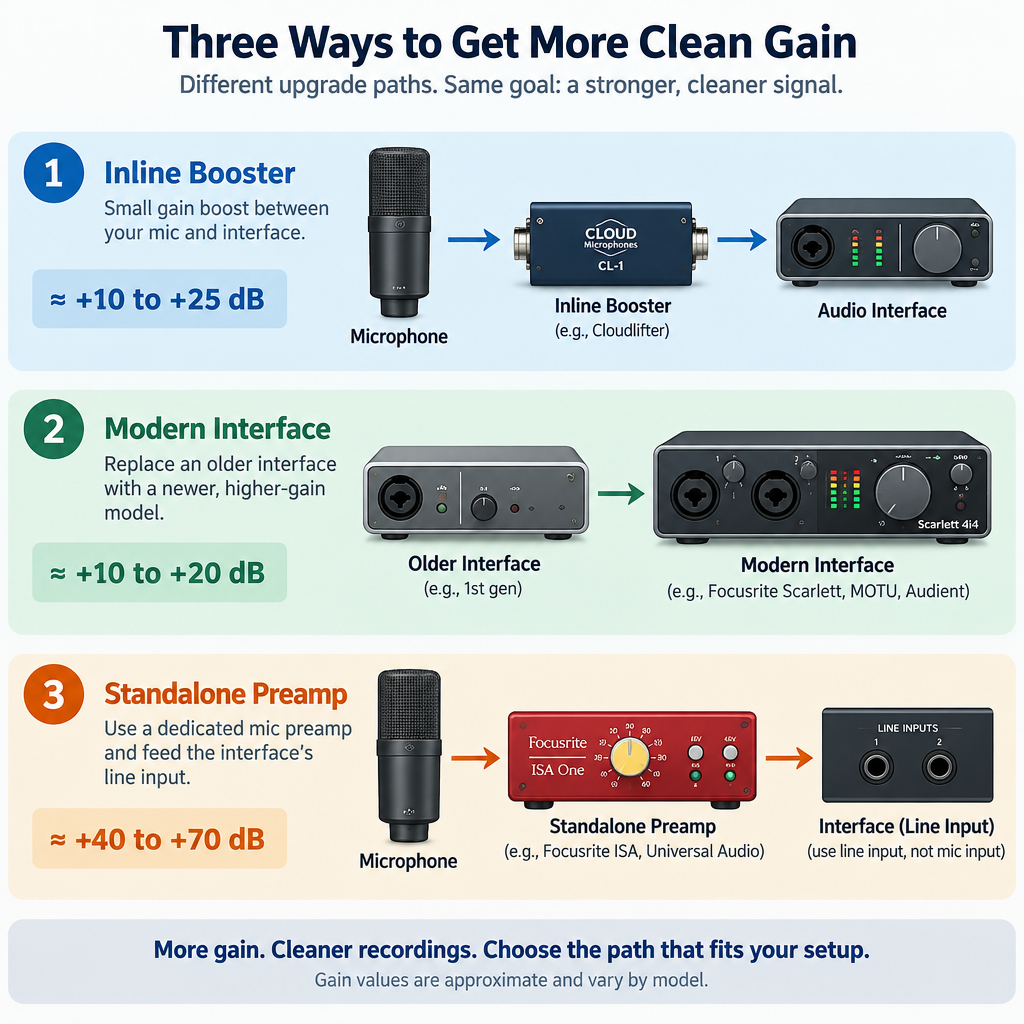
If your mic preamp runs out of gain, you have three fixes. They rise in price and in how much they change your setup.
| Option | What it does | Typical added gain | Best for |
|---|---|---|---|
| Inline booster | Small box between mic and interface | Roughly 25 to 28 dB | Low-output dynamics, ribbons |
| Better interface | Replaces your current one | Depends on model | Upgrading everything at once |
| Standalone preamp | Separate channel feeding a line input | Model dependent | Tone, colour, high-end signal path |
Inline boosters
These are the cheapest real fix. The Cloud Microphones Cloudlifter CL-1 and the sE Electronics DM1 Dynamite are well-known examples. The Triton Audio FetHead is another.
They run on your interface’s 48V phantom power. They do not pass phantom on to the mic, so they suit dynamics and ribbons only. Do not use them with condensers.
A booster adds clean gain before your interface. You then run your interface’s own preamp lower, where it is quieter.
A better interface
If your interface is old, a new one may solve the problem and improve your converters at the same time. Compare maximum gain and EIN (equivalent input noise) across models. In practice, preamp EIN figures range from about −120 to −129 dBu, and around −125 dBu is widely cited as the minimum for professional results. The best preamps reach about −128 to −129 dBu. That is close to the physical limit, so differences beyond that are hard to hear.
A standalone preamp
This is a separate box with one or two channels. You plug the mic into it, then send its output to a line input on your interface.
Popular preamps span a wide range. Budget tube units like the ART Tube MP sit at one end. Recreations of classic consoles, like the Warm Audio WA73, sit in the middle. Units such as the Focusrite ISA One and Universal Audio’s tube preamps sit higher. Prices change often, so check current listings yourself.
Watch out
Plug a standalone preamp into a line input, not a mic input. Sending line level into a mic preamp double-boosts the signal and will distort badly. Also check your ribbon mic maker’s advice on phantom power before switching it on.
Does a preamp change your sound?
This is where marketing runs wild. Words like warm, punchy and tube get thrown at every product.
The truth is plainer. A clean preamp at a sensible gain setting sounds very close to another clean preamp. Blind tests regularly trip up experienced engineers. Your mic, your room and your performance make far bigger differences.
Coloured preamps are different. Transformer-based and tube designs add harmonic distortion, especially when you drive them. That adds thickness and a softer top end. Some people love it on vocals and bass.
But you commit to that colour at recording time. You cannot remove it later.
Here is the order to spend money in for better vocal sound:
- Room treatment, so your mic hears less of your walls.
- Mic choice and placement techniques.
- Performance and takes.
- Preamp, last of all.
A stack of tracked takes often does more for thickness than any preamp. Our guide to “automatic double tracking” covers how to fake that layered sound with free plugins when you only have one good take.
Get the “preamp sound” with free plugins
You can add tube and transformer colour after recording, and you can undo it any time. That suits a home studio better than committing on the way in.
These free tools add drive and harmonics:
- Airwindows plugins. Chris Johnson’s huge collection is open source under the MIT licence. Many of its console, tape and tube-style processors add subtle colour. The Airwindows Consolidated build packs them into one plugin with CLAP, VST3 and AU versions, and it runs on Linux as well as Windows and macOS.
- Klanghelm IVGI. A free saturation and distortion plugin for Windows and macOS. It handles gentle warmth through to heavy grit.
- Softube Saturation Knob. A single-knob free saturator for Windows and macOS. You need a free Softube account to activate it.
Use them in moderation. On a vocal, a few percent of drive is often enough. If you can clearly hear the distortion in solo, it is probably too much in the mix.
Producer tip
Put saturation on an aux bus and blend it in, rather than on the track itself. You keep the clean vocal’s clarity and add the thickness underneath.
Set your gain properly
Most “my preamp is noisy” complaints are really gain staging problems. Fix this before you buy anything.
Quick steps: Set mic preamp gain
- Turn the interface gain fully down.
- Enable 48V only if your mic needs it.
- Perform at your loudest real level.
- Raise gain until peaks hit around −12 dBFS.
- Record at 24-bit to keep headroom.
Record at 24-bit or higher. At 24-bit you have so much dynamic range that peaking around −18 to −12 dBFS costs you nothing. You can add level later in your DAW.
Do not chase a hot signal near 0 dBFS. One loud note and you clip, and digital clipping cannot be repaired cleanly.
Set your gain at the loudest part of the song, not the quiet verse. Singers get louder in a chorus.
Work close to the mic too. Moving from a foot away to a few inches gives you a big level boost for free. It also cuts room sound. With dynamics, that proximity also adds bass, so use a pop filter and keep your distance consistent.
When a standalone preamp is worth it
Buy a separate mic preamp when one of these is true:
- Your interface cannot reach about 60 dB of clean gain and you use a low-output mic.
- You record passive ribbons regularly.
- You want a specific coloured sound on the way in, and you know you like it.
- You already have a treated room and a good mic, and this is your next step.
Skip it if you use condensers, if your takes sit at a healthy level, or if you are hoping it will fix a boomy room. It will not.
For most home studios, the honest path is simple. Use your interface’s preamp. Add an inline booster if a dynamic mic is too quiet. Add colour with free plugins afterwards.
FAQ
Do I need a mic preamp for a condenser microphone?
No. Condensers have high output and need little gain. Your interface’s built-in preamp is plenty. Just switch on 48V phantom power.
Does an audio interface have a mic preamp?
Yes. Every XLR input with a gain control is a mic preamp. A two-input interface has two of them.
Is a Cloudlifter the same as a preamp?
It works as a gain booster rather than a full preamp. It adds roughly 25 dB of clean gain before your interface’s own preamp. It needs phantom power and suits dynamic and ribbon mics only.
Will a tube preamp make my vocals sound better?
It will make them sound different. Tube preamps add harmonic colour that can sound warm and thick. Whether that sounds better depends on the voice and the song. Try free saturation plugins first to hear whether you like the effect.
How much gain does an SM7B need?
It is widely cited as needing around 60 dB of clean gain for speech. Check your interface’s maximum gain spec. If it falls short, an inline booster is the cheapest fix.
Can I use a USB mic with a preamp?
No. A USB mic already has its own preamp and converter inside. It outputs digital audio, so an analogue preamp cannot connect to it.