

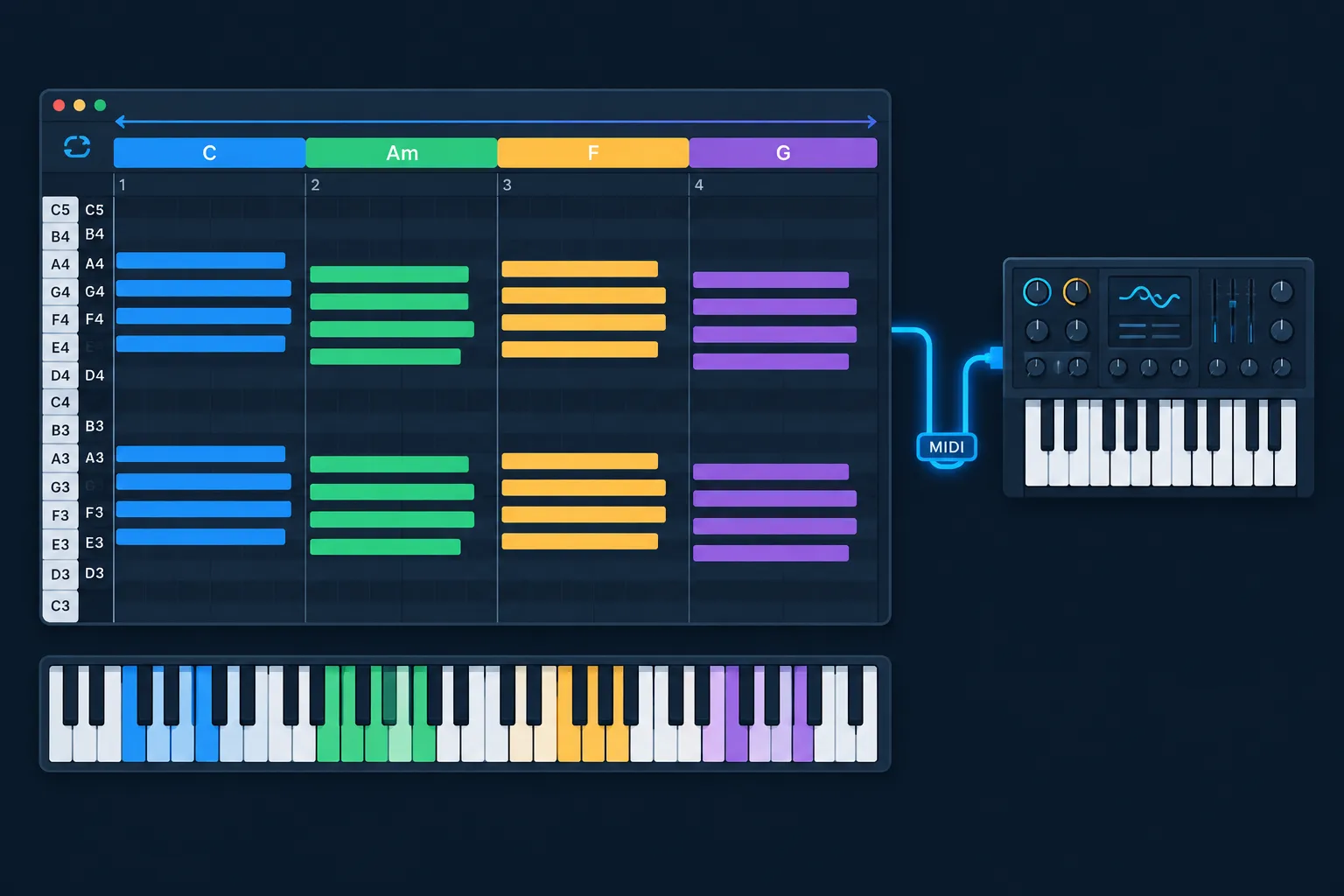
Ripchord is one of the most recommended free chord plugins, and it is also GPLv3 open-source software. A community fork of it runs on Linux as VST3 and CLAP. This guide ranks the best chord sequencers for writing progressions quickly. It separates real sequencers from generators and MIDI packs, and gives each tool’s price, platforms, formats and licence as of November 22, 2026.
Key takeaways
- A chord sequencer outputs MIDI only. You need an instrument after it to hear anything.
- Ripchord is the best free chord sequencer for most people. On Linux, use the prg318 fork or the openSUSE 2.7.0 package.
- If you already own Ableton Live 12, FL Studio or Cubase, try the built-in chord tools before you buy a plugin.
- Scaler 3 is the paid benchmark at $99.90. For fast one-key chord work, a free stack of Ripchord plus LibreArp covers most of what it does.
- Drag or record the result to MIDI early, so you can fix voicings by hand.
Fact-checked
We checked these key facts against the sources named, on November 22, 2026:
- The openSUSE multimedia:proaudio repository now packages version 2.7.0 (source: build.opensuse.org)
- Ripchord is one of the most recommended free chord plugins, and it is also GPLv3 open-source software (source: github-redirect.dependabot.com)
- FeelYourSound also sells ChordPotion, a MIDI step sequencer and effect plugin that recently reached version 2.6.0 (source: kvraudio.com)
- KVR Audio reported that version 1.5.0, released in July 2026, added a Live Mode that transforms chords in real time as you play them (source: rekkerd.org)
What a chord sequencer actually does (and what it isn’t)
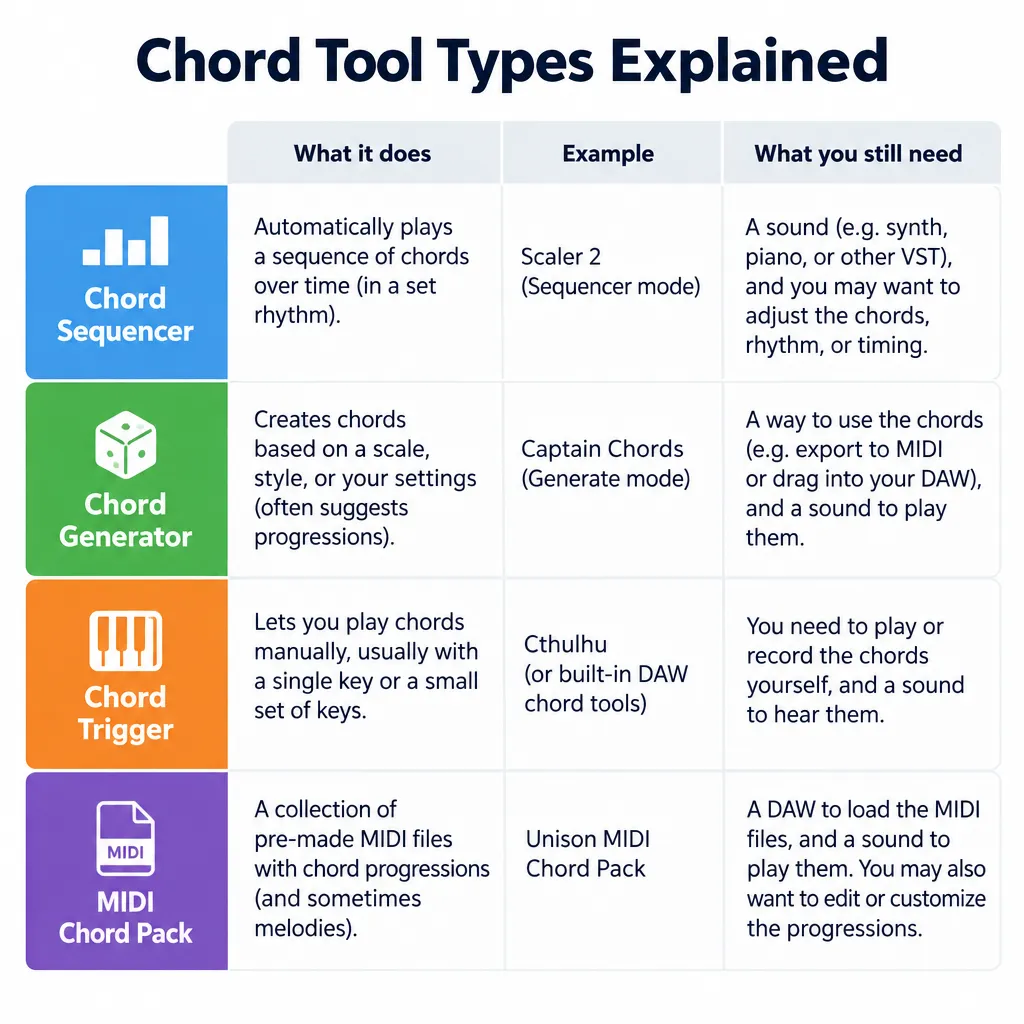
A chord sequencer holds a set of chords and plays them in time. The chords can come from step positions, from single keys or from rhythmic patterns. The label gets stretched to cover three other kinds of tool, and knowing the difference saves you from buying the wrong one.
Sequencer vs generator vs one-finger chord trigger
Each of these tools does a different job, even though product pages often mix them up.
| Tool type | What it does | Example tools | You still need |
|---|---|---|---|
| Chord sequencer | Plays a stored chord set in time from steps or patterns | Reason Chord Sequencer, Arpligner, ChordPotion | A progression and an instrument |
| Chord generator | Suggests or builds a progression from rules or a key | Live 12 Stacks, FL Studio Chord Progression tool, Scaler 3 | Rhythm and an instrument |
| Chord trigger (chord memory) | One key plays a full chord | Ripchord, Chordz, KawaChord2 Free, ChordMem | Your own timing and an instrument |
| MIDI chord pack | Pre-made MIDI files you drag into the piano roll | Producer sample packs | Editing and an instrument |
Most modern plugins combine two or three of these types. Ripchord is a trigger that also stores and remixes whole progressions. Scaler 3 generates progressions, triggers them and plays performance patterns. A browser chord player online sits at the simplest end: you click a chord name and hear it. That is fine for learning, but it has no tempo, no plugin and no MIDI route into your DAW.
Why it outputs MIDI, not sound
Every tool on this list sends MIDI notes, not audio. In plugin terms, a chord sequencer is a MIDI effect. It goes before a synth, sampler or piano on a MIDI track, or its MIDI output is routed to another track that holds an instrument.
Producer tip
If your chord plugin makes no sound, it is almost always a routing problem. Put the plugin before an instrument on the same MIDI track. In Ableton Live, third-party MIDI plugins load like instruments, so create a second MIDI track and set its MIDI input to the plugin’s track.
Quick picks: the best chord sequencer for your setup
Ripchord is the top pick overall. It is free and open source, it is quick to learn, and it runs on all three desktop platforms if you include the Linux fork. Your best choice still depends on what you already own.
| Your situation | Best pick | Why |
|---|---|---|
| You want free and simple | Ripchord | One key per chord, preset progressions, MIDI-file chord detection |
| You use Linux | Ripchord prg318 fork + LibreArp | VST3/CLAP chords plus a GPLv3 LV2 or VST3 arpeggiator |
| You own Ableton Live 12 | Stacks MIDI Generator | Built in, editable root, inversion and chord type |
| You use FL Studio | Chord Progression tool | Generates progressions and bass lines in the piano roll |
| You’ll pay for one tool | Scaler 3 | Deepest theory, generation and performance features |
| You use hardware or modular | Reason Chord Sequencer | Has CV outputs |
How the tools were ranked
The ranking draws on developer documentation, release notes, reviews from KVR Audio, MusicRadar, Bedroom Producers Blog and Attack Magazine, and current store listings. The criteria were weighted in this order:
- Speed to a usable progression. How quickly you go from an empty clip to chords playing in time.
- Cost and licence. Free and open-source tools rank higher when they do the same job.
- Platforms and formats. Bonus points for Linux, VST3, LV2 and CLAP, not only Windows VST2.
- MIDI out to the piano roll. Whether you can drag, record or print the result as editable MIDI.
- Maintenance. Tools that are discontinued or 32-bit only were moved down or listed as warnings.
The ranked list
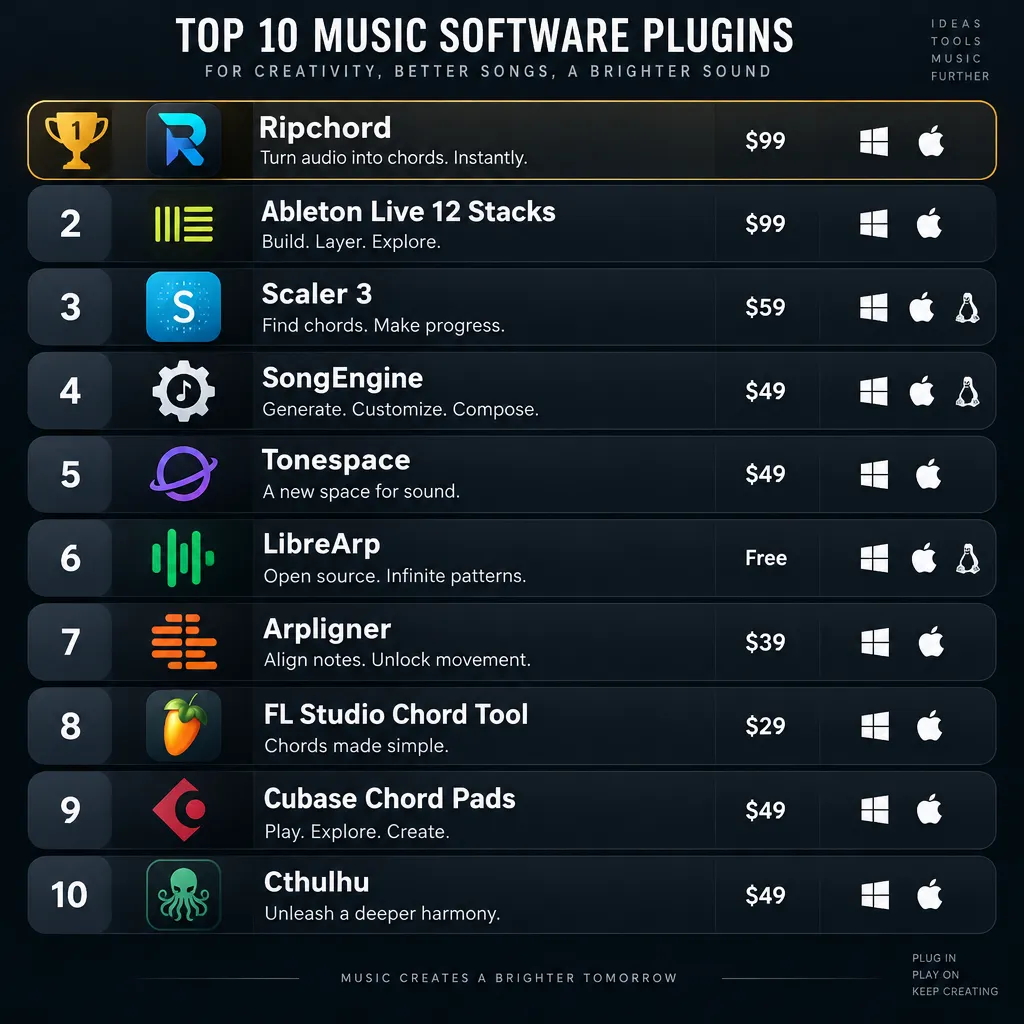
- Ripchord (free, GPLv3): best overall chord trigger and progression remixer
- Ableton Live 12 Stacks (built in): best built-in chord generator
- Scaler 3 ($99.90): best paid all-rounder
- SongEngine (paid): best tool for turning chords into parts
- Tonespace (free): best free tool for exploring voicings, and it runs on Linux
- LibreArp (free, GPLv3): best open-source pattern arpeggiator
- Arpligner (free, open source): best open-source chord-plus-pattern sequencer
- FL Studio Chord Progression tool (built in): best for FL users
- Cubase Chord Pads and Chord Track (built in): best for Cubase users
- Xfer Records Cthulhu (about $39): best cheap paid chord memory plus arpeggiator
- Reason Studios Chord Sequencer (74 EUR or Reason+): best for CV and hardware
- Audiomodern Chordjam (from $9.99): best cheap randomised generator
Chord sequencers compared: price, OS, formats, licence
| Tool | Type | Price | Windows | macOS | Linux | Formats | Licence | Best for |
|---|---|---|---|---|---|---|---|---|
| Ripchord | Trigger + progression player | Free | Yes | Yes | Via fork or openSUSE | VST, VST3, AU (CLAP in Linux fork) | GPLv3 | One-key chord sets |
| Live 12 Stacks | Generator | Included with Live 12 | Yes | Yes | No | Built in | Proprietary | Live users |
| Scaler 3 | Generator + sequencer | $99.90 ($79 on sale) | Yes | Yes | No | VST3, AU, AAX, standalone | Commercial | Theory-guided writing |
| SongEngine | Pattern generator | Paid | Yes | Yes | No | VST, AU | Commercial | Arps and basslines |
| Tonespace | Trigger + explorer | Free | Yes | Yes | Yes | VST, AU, standalone | Freeware | Voicing exploration |
| LibreArp | Pattern arpeggiator | Free | Yes | No | Yes | VST3, LV2 | GPLv3 | Open-source arps |
| Arpligner | Chord + pattern sequencer | Free | Yes | Yes | Yes | VST3, LV2, standalone | Open source | Live MIDI patterns |
| FL Studio Chord Progression | Generator | Included with FL Studio | Yes | Yes | No | Built in | Proprietary | FL users |
| Cubase Chord Pads | Trigger + chord track | Included with Cubase | Yes | Yes | No | Built in | Proprietary | Cubase users |
| Xfer Cthulhu | Chord memory + arp | About $39 | Yes | Yes | No | VST, AU | Commercial | Stab chords, arps |
| Reason Chord Sequencer | Step sequencer | 74 EUR or Reason+ | Yes | Yes | No | Rack Extension; VST3, AU, AAX via Rack Plugin | Commercial | CV and hardware |
| Chordjam | Generator + sequencer | From $9.99 | Yes | Yes | No | Plugin | Commercial | Random ideas |
Best free chord sequencers and generators
Free chord tools fall into two groups. Ripchord is current and well supported. The older Windows-only freebies still work, but they come with real limits. Start with Ripchord, and add SongEngine when you want the chords turned into parts.
Ripchord (GPLv3, Win/Mac, Linux via fork)
Ripchord, from Trackbout, is a free MIDI plugin for creating and remixing chord progressions. It comes as VST/VST3 and AU for Windows and macOS. Each key on your keyboard triggers a full chord. The plugin has a play mode and an edit mode, and you can build your own presets or import a MIDI file and let Ripchord detect the chords in it.
According to KVR Audio, version 2.6.0 made the source code public under GNU GPL v3. The same release added preset tagging and Apple Silicon support. The openSUSE multimedia:proaudio repository now packages version 2.7.0.
Best for: you can’t play keys well but want full chords from single notes, or you want to pull a progression out of a MIDI file and reharmonise it.
Limits: Ripchord has no tempo-synced pattern engine of its own. Rhythm comes from what you play or draw, or from an arpeggiator placed after it.
SongEngine v1.5 Live Mode
SongEngine is FeelYourSound’s paid MIDI generator in VST and AU formats. You give it any chord progression, and it turns that progression into arpeggios, basslines and piano phrases. KVR Audio reported that version 1.5.0, released in July 2026, added a Live Mode that transforms chords in real time as you play them.
FeelYourSound also sells ChordPotion, a MIDI step sequencer and effect plugin that recently reached version 2.6.0. SongEngine is another way to try the same approach.
Best for: turning a block-chord progression into a moving part without programming every note.
Tonespace
Tonespace, from mucoder, is a free chord generator that turns single MIDI notes into chords. It runs on Windows, macOS and Linux as VST, AU and standalone, and KVR lists version 2.9 with 64-bit support. It offers 39 chord types, 25 voicings and inversions, and 21 scales across 18 keys, which makes it a good tool for learning how voicings change the sound of a chord.
Windows-only freebies: KawaChord2 Free, Chordz, ChordMem
These three still work, but they are dated, so treat them as backups.
- KawaChord2 Free (kawa): a Windows plugin in 32-bit and 64-bit versions. The free version plays triads only. Extended chords need the paid kawaChord2.
- Chordz (CodeFN42): a free Windows VST in 32-bit and 64-bit that triggers full chords from single notes. Most coverage of it dates from 2015.
- ChordMem (WOK): records up to seven chords and plays them back from single keys. It is a Windows 32-bit VST. The paid ChordMem Pro raises the limit to 12 chords per preset.
Watch out
UChord from Ultimate MIDI Plugin, a Windows VST/VST3 progression generator, was offered free in two windows, the second running from June 16 to July 15, 2026, and that offer has ended. Chord Switch is no longer available. ChordMem is 32-bit only, so most modern 64-bit DAWs need a bridge to load it.
Open-source and Linux chord tools
Linux users can build a complete chord sequencer stack from open-source parts. Use Ripchord for chords, LibreArp or Arpligner for patterns, and Dusk Audio Chord Analyzer to check the theory. All of them load in hosts with VST3 or LV2 support, such as Bitwig Studio, Ardour and REAPER.
- Ripchord on Linux: a report on the rncbc.org forum (the Qtractor developer’s site) says the community fork prg318/ripchord provides recent builds with VST3 and CLAP for GNU/Linux. The official Trackbout installers target Windows and macOS only. On openSUSE, the multimedia:proaudio repository carries version 2.7.0.
- LibreArp: a free pattern-based arpeggiator under GPLv3, available as VST3 and LV2. You draw a pattern once, and it plays whatever chord you hold through that pattern.
- Arpligner: comes as VST3 and LV2 MIDI plugins and as a standalone app for Windows, macOS and Linux. It takes both the chords and the pattern as live MIDI input. That means one track can feed the harmony while another feeds the rhythm.
- Dusk Audio Chord Analyzer: released in April 2026, according to Bedroom Producers Blog. It is a free, open-source MIDI plugin that detects chords and analyses the theory, with VST3 and LV2 builds on Linux. It doesn’t sequence anything, but it names the chords your sequencer is sending.
Did you know?
According to a user report on the rncbc.org forum, the community fork prg318/ripchord ships Ripchord builds with VST3 and CLAP support for GNU/Linux. That makes one of the most popular free chord plugins usable on a fully open-source system.
Chaining a chord trigger into an LV2 arpeggiator
The chain is the same in every host: chord trigger, then arpeggiator, then instrument. In Ardour or Bitwig Studio, insert Ripchord (fork build) first on a MIDI track, then LibreArp, then a synth such as Surge XT. In REAPER, put the same three plugins in one track’s FX chain. Play one key, and you get a full chord shaped into a rhythm by the arpeggiator.
Producer tip
On Linux, use the prg318 Ripchord fork (VST3 or CLAP) or the openSUSE package rather than the original Windows and macOS installers. Use one plugin format through the whole chain if you can, so you don’t run into host bridging problems.
Licences at a glance
| Tool | Licence | What it means for you |
|---|---|---|
| Ripchord | GNU GPL v3 | Source is public; forks like prg318 are legal and can’t be closed |
| LibreArp | GNU GPL v3 | Same freedoms; builds can be packaged by distros |
| Arpligner | Open source | Free to use, source available |
| Dusk Audio Chord Analyzer | Open source | Free to use, source available |
| Tonespace | Freeware | Free to use, closed source |
Chord sequencers already inside your DAW
Many producers already own a capable chord generator without knowing it. Ableton Live 12, FL Studio and Cubase each have chord tools in their MIDI editors. Try them first, because the cheapest chord sequencer is the one you already paid for.
Ableton Live 12: Stacks step by step
Live 12 added MIDI Generators to the clip view, and Stacks is the one that writes chords. As Attack Magazine explains, you set each chord’s root, inversion and chord type yourself, and the generators are algorithmic, rule-based tools, not machine-learning AI. Since Live 12.1, Ableton’s help centre says you can define custom chord rules as interval lists and load them from a .stacks file to replace the default chord bank.
Quick steps: four chords with Stacks
- Create an empty MIDI clip on a track with an instrument.
- In the clip view, open the MIDI Generators panel and choose Stacks.
- Set the number of chords, then the root, chord type and inversion for each one.
- Generate, then edit the notes in the piano roll.
For text-based writing, Degrees & Modifiers is a free Max for Live generator that builds progressions from short text sequences. It is the closest thing to typing out a progression instead of drawing notes in the piano roll.
Did you know?
According to Ableton’s help centre, Stacks has accepted custom chords since Live 12.1. Your own chord vocabulary is saved as interval lists in a .stacks file that replaces the default bank.
FL Studio: Chord Progression tool
You open FL Studio’s Chord Progression tool from the piano roll’s Tools menu. It generates progressions. Image-Line’s manual describes an Analyze mode that finds a chord sequence matching notes already in the piano roll. The current manual calls it deterministic, so regenerating gives the same result as long as the notes stay the same. A Bass option generates bass notes for each chord, and you can fix a chord’s bass note so it stays in place when that chord is regenerated. The Rework option only appears if the piano roll already contains notes when you open the tool.
Producer tip
In FL Studio, load a melody or MIDI file, run Analyze, and turn on Bass with bass notes only. You get a bass line that follows your existing part.
Cubase and others
Cubase’s Chord Pads sit between your MIDI input and the target tracks. You can fill them from the Chord Assistant (Circle of Fifths, List or Proximity views), from presets, from your MIDI keyboard or from the Chord Track. In the Key Editor, the chord editing panel identifies the chord in your selected notes, and it can insert a whole chord with each click once you pick a chord type. Cubase Pro 14 also added a Scale Assistant to the Key Editor. A Cubase-style chord track is the strongest answer if you want to enter chords by name instead of drawing every note.
Paid chord sequencers: are they worth it?
A paid chord tool is worth buying when it saves you time on every session. That usually means you want a curated chord library, performance patterns and theory guidance in one window. If all you need is chords on single keys, free tools already do the job.
| Paid tool | Price | Free or open-source alternative | What you lose |
|---|---|---|---|
| Scaler 3 | $99.90 regular, $79 on sale | Ripchord + SongEngine, or Live 12 Stacks | Curated chord sets, integrated performance patterns, guided theory |
| Xfer Cthulhu | About $39 | Ripchord + LibreArp | Chord memory and arpeggiator in one window |
| Captain Chords | Sold in the Captain Plugins Epic suite | Live 12 Stacks or the FL Studio Chord Progression tool | Guided song-building across the Captain plugins |
| Reason Chord Sequencer | 74 EUR or Reason+ | Arpligner or Ripchord + LibreArp | CV outputs and Reason rack integration |
| Audiomodern Chordjam | From $9.99 | SongEngine | One-click randomised chord rhythms |
| ChordPotion | Paid | SongEngine (same developer) | Detailed step editing |
Scaler 3 vs Ripchord
Scaler 3 launched at an introductory $79, then went to its regular $99.90 price. Owners of Scaler 1 or 2 can upgrade for $29. Plugin Boutique ran a 20%-off sale at $79 from July 16 to July 31, 2026, and that sale has ended. Ripchord covers the core job of storing a progression and playing it from single keys at no cost. Scaler wins if you want the plugin to teach you theory and suggest what comes next. If you mainly want a free alternative to Scaler that actually works for triggering and remixing chords, Ripchord is it.
Cthulhu vs Ripchord + LibreArp
Xfer Records Cthulhu combines a chord memory with a pattern-based arpeggiator. It costs about $39 and runs as VST and AU on Windows and Mac. Ripchord followed by LibreArp gives you the same chain for free. On Linux, it is the only way to get that chain at all.
Reason Chord Sequencer and CV
Reason Studios Chord Sequencer, listed in the Reason shop as ChordSQ, launched on June 29, 2022 at an introductory $49, €54 or £48, and its regular price of $69, €74 or £64 took effect after July 13, 2022. MusicRadar reviewed it at the full £64 price. It is included in Reason+ at €19.99 per month. It runs in any DAW through the Reason Rack Plugin, which comes in VST3, AU and AAX. Its CV outputs are the real selling point: inside Reason, it can drive Eurorack gear through a CV interface, which no free plugin here can do.
Is it worth the price if you don’t use Reason? Buy it only if you want CV or want to work in Reason’s rack. For plain MIDI chord stepping in another DAW, Arpligner does the same job for free.
Progressions to load first
Four progressions cover most popular music: I–V–vi–IV, vi–IV–I–V, ii–V–I and i–VI–III–VII. Roman numerals describe each chord’s position in the key. Upper case means major and lower case means minor, so a numeral works in any key once you know that key’s scale.
In C major, the seven diatonic chords are C, Dm, Em, F, G, Am and Bdim. That makes I = C, ii = Dm, IV = F, V = G and vi = Am. If you want to see where those chords come from, our music scales guide covers each scale in more depth.
Starter progressions in common keys
| Progression (Roman numerals) | Genre feel | C major / A minor | G major / E minor | D major / B minor |
|---|---|---|---|---|
| I–V–vi–IV | Pop, anthems | C G Am F | G D Em C | D A Bm G |
| vi–IV–I–V | Emotional pop, EDM | Am F C G | Em C G D | Bm G D A |
| ii–V–I | Jazz, neo-soul | Dm7 G7 Cmaj7 | Am7 D7 Gmaj7 | Em7 A7 Dmaj7 |
| I–IV–V | Blues, rock, folk | C F G | G C D | D G A |
| i–VI–III–VII (minor key) | Cinematic, minor pop | Am F C G | Em C G D | Bm G D A |
Notice that vi–IV–I–V and i–VI–III–VII use the same four chords. The difference is which chord feels like home. That is why a chord sequencer that lets you rotate the starting chord can change the mood without changing a single note.
V resolves to I because the V chord contains the leading tone, B in C major, which sits a half step below the tonic C. In G7, the B and F also form a tritone that pulls inward to C and E. Your ear hears that move as arriving home.
Transposing to your vocal range
Transposing means moving every chord by the same interval, so the Roman numerals stay the same. To move I–V–vi–IV from C to D, shift every note up two semitones: C G Am F becomes D A Bm G. In most piano rolls, you select all the notes and nudge them with the arrow keys. In Ableton Live, Up and Down move notes by a semitone, and holding Shift moves them by an octave. Sing the melody over the chords first, then pick the key where your highest note sits comfortably.
Chord sequencer for piano
On piano, inversions and voice leading make generated chords sound played instead of programmed. Keep the shared notes in place and move the other voices by the smallest step. That keeps every chord in the same register.
Here is I–V–vi–IV in C with root-position chords: C-E-G, G-B-D, A-C-E, F-A-C. The whole hand jumps around the keyboard. With voice leading, it becomes C-E-G, B-D-G (G/B), C-E-A (Am), then C-F-A (F/C). Most voices move by a step or not at all.
Settings to use in each tool:
- Stacks (Live 12): set the inversion per chord so each chord’s lowest note stays within a few semitones of the last one.
- Ripchord: in edit mode, rebuild each chord on the keyboard as the inversion you want, then save the preset.
- Scaler 3: use its voice-leading options instead of root-position chords.
Our guide to chord movement and voice leading goes further, covering contrary motion and bass lines.
Producer tip
Drag or record the progression to MIDI as early as you can, so you can edit voicings by hand. Generated chords often need an inversion or two before they sit well under a vocal.
Chord sequencer for guitar
Piano-style block chords sound fake on a guitar instrument. Two changes fix most of that: use voicings a real guitar can play, and spread the notes in time like a strum.
- Use guitar voicings. Put the root at the bottom and spread five or six notes across about two octaves. An open E major chord, for example, is E-B-E-G#-B-E. Close piano triads rarely match how a guitar’s strings are tuned.
- Fake the strum. Offset each note slightly from the lowest string to the highest for a downstroke, and reverse the order for an upstroke. LibreArp or SongEngine can generate fingerpicked patterns from held chords.
- Route to a guitar instrument. Send the chord sequencer’s MIDI output to a sampled guitar or a plucked synth patch. Our guide to virtual analog synthesizers covers free synths that give you pluck sounds.
For a wider rhythm part, double the MIDI part on a second guitar track with slightly different timing. Our automatic double tracking guide explains the same idea for recorded audio.
Build a progression with free tools in 10 minutes
This workflow uses only free tools and ends with editable MIDI in your piano roll. Swap Ripchord for Stacks if you’re working in Ableton Live 12.
Quick steps: free chord stack
- Load Ripchord on a MIDI track.
- Add a free instrument after it.
- Load or build a four-chord preset.
- Record the MIDI output to a clip.
- Fix voicings in the piano roll.
- Load the sequencer. Insert Ripchord on a MIDI track. On Linux, use the prg318 fork or the openSUSE build.
- Add sound. Place a free synth or piano after it, for example Surge XT, which is open source and runs on Windows, macOS and Linux. In Ableton Live, put the instrument on a second track that takes its MIDI input from Ripchord’s track.
- Set the chords. Load a preset, or assign I–V–vi–IV in your key to four neighbouring keys in edit mode.
- Play in time. Record one chord per bar at your project tempo. Add LibreArp after Ripchord if you want movement.
- Print to MIDI. Record the plugin’s output to a new clip. REAPER can record a track’s MIDI output directly, and Live can record the second track.
- Edit. Apply the piano inversions above, quantise, and transpose to your vocal range.
FAQ
What is a chord sequencer?
A chord sequencer is a MIDI tool that stores a set of chords and plays them in time from steps, single keys or patterns. It makes no sound of its own. You put it before an instrument, or route its MIDI to an instrument track.
What is the best free chord sequencer plugin?
Ripchord is the best free chord sequencer for most people. It is GPLv3, runs on Windows and macOS (and on Linux through a fork), and plays full chords from single keys. If you want arpeggios and basslines generated from your chords, add SongEngine.
Is there a chord sequencer for Linux?
Yes. The prg318 fork of Ripchord offers VST3 and CLAP builds, and openSUSE packages Ripchord 2.7.0. Add LibreArp (VST3, LV2) or Arpligner (VST3, LV2, standalone) for pattern sequencing, and Tonespace also runs on Linux.
Is Scaler 3 worth it, or is there a free alternative?
Scaler 3 is worth $99.90 if you want theory guidance, curated chord sets and performance patterns in one plugin. If you mainly trigger and remix chords, Ripchord does that for free, and Live 12 Stacks covers generation if you own Live.
Does Ableton Live have a chord sequencer?
Live 12 includes Stacks, a built-in MIDI Generator for chords where you set each chord’s root, inversion and type. Since Live 12.1, it also loads custom chord rules from .stacks files. The free Max for Live device Degrees & Modifiers adds text-based progression writing.
Does FL Studio have a chord progression tool?
Yes. Open the Chord Progression tool from the piano roll’s Tools menu. Analyze mode matches chords to existing notes, and the Bass option writes a bass line for the chords.
How do I play chords with one finger in my DAW?
Use a chord trigger such as Ripchord, Tonespace or Cubase Chord Pads, or Xfer Cthulhu if you want a paid option. Each key you press plays a stored chord. This is also the easiest way to step sequence chords if you can’t play keys.
Can I use a chord sequencer for guitar sounds?
Yes. Route the sequencer’s MIDI output to a guitar instrument, use voicings spread like a guitar’s six strings, and add an arpeggiator or offset the note timing so the chords sound strummed.
What is the difference between a chord generator and an arpeggiator?
A chord generator decides which chords to play. An arpeggiator decides how to play the chord you’re holding, breaking it into a rhythmic pattern of single notes. LibreArp is an arpeggiator. Stacks is a generator.
Can I use Reason’s Chord Sequencer in another DAW?
Yes. It runs inside the Reason Rack Plugin, which loads as VST3, AU or AAX in other DAWs. You can buy it on its own or get it through a Reason+ subscription.
Where to start today
Load Ripchord or Stacks, put an instrument after it, and program I–V–vi–IV in your key. Then spend five minutes on inversions until no chord jumps more than a few semitones from the last. That one edit improves generated chords more than any paid plugin, and it is free. When you can do it quickly, decide whether Scaler 3’s guidance would save you enough time each week to be worth $99.90.
Keep reading
Free music tools
Editorial notes
- Fact-checked by Vivian Osei against the sources listed below before publication.
- Published
Sources (8)
- FeelYourSound releases free SongEngine MIDI generator plug-in (kvraudio.com)
- FeelYourSound updates ChordPotion to v2.6.0 (kvraudio.com)
- UChord free until June 15 (kvraudio.com)
- Trackbout updates Ripchord to v2.6.0 (kvraudio.com)
- openSUSE multimedia:proaudio Ripchord package (build.opensuse.org)
- rncbc.org forum: Ripchord fork for Linux (rncbc.org)
- LibreArp on KVR Audio (kvraudio.com)
- Arpligner (ypares.github.io)