
Ubuntu and Linux Mint run the same core packages and the same kernel, so the real differences show up in the desktop, how software gets installed and how much control you have over updates. This comparison covers Ubuntu 24.04 LTS against Linux Mint 22 Cinnamon for everyday use and for recording, mixing and producing on free tools.
The short answer
Pick Linux Mint 22 Cinnamon if you want a familiar, Windows-like desktop and fewer surprises in the background. It also lets you pin your audio setup in place with snapshots and controlled updates. Pick Ubuntu if you want official vendor support from companies like Bitwig, Ubuntu Pro extras such as a real-time kernel, or a modern GNOME workflow.
For most home producers moving from Windows, Mint is the easier landing. Ubuntu is the better fit if you work in a studio or business that needs commercial support, or if you plan to try Ubuntu Studio later.
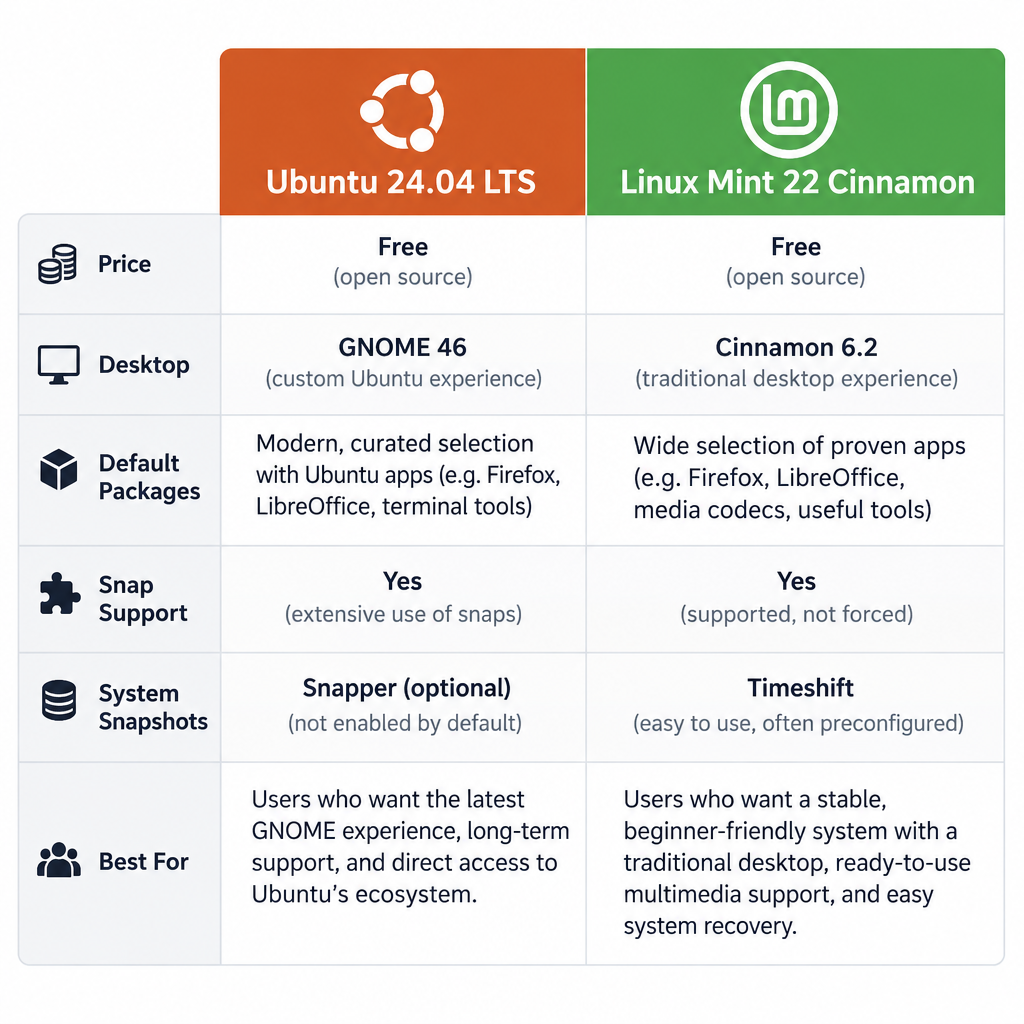
Ubuntu vs Linux Mint at a glance
| Ubuntu 24.04 LTS | Linux Mint 22 Cinnamon | |
|---|---|---|
| Price | Free (Ubuntu Pro free for up to 5 personal machines) | Free, funded by donations and sponsors |
| Based on | Debian | Ubuntu 24.04 LTS |
| Default desktop | GNOME 46 with Ubuntu Dock | Cinnamon 6.2 (6.4 in Mint 22.1) |
| Other desktops | Official flavours: Kubuntu, Xubuntu, Ubuntu Studio and more | MATE and Xfce editions |
| Kernel at launch | Linux 6.8 | Linux 6.8 |
| Sound server | PipeWire | PipeWire (new default in Mint 22) |
| App store | App Center (snap-first) | Software Manager (.deb plus Flathub) |
| Snap support | Default, Firefox ships as a snap | Blocked by default, can be re-enabled |
| Display server | Wayland by default | X11 by default, Wayland experimental |
| System snapshots | Not preinstalled | Timeshift preinstalled |
| Support end | April 2029 (up to 12 years with Ubuntu Pro and Legacy) | April 2029 |
The table shows how close the two are. Mint 22 is built directly on Ubuntu 24.04’s package base. Anything packaged as a .deb for Ubuntu 24.04 will almost always install on Mint 22 without changes.
How Ubuntu and Mint are related
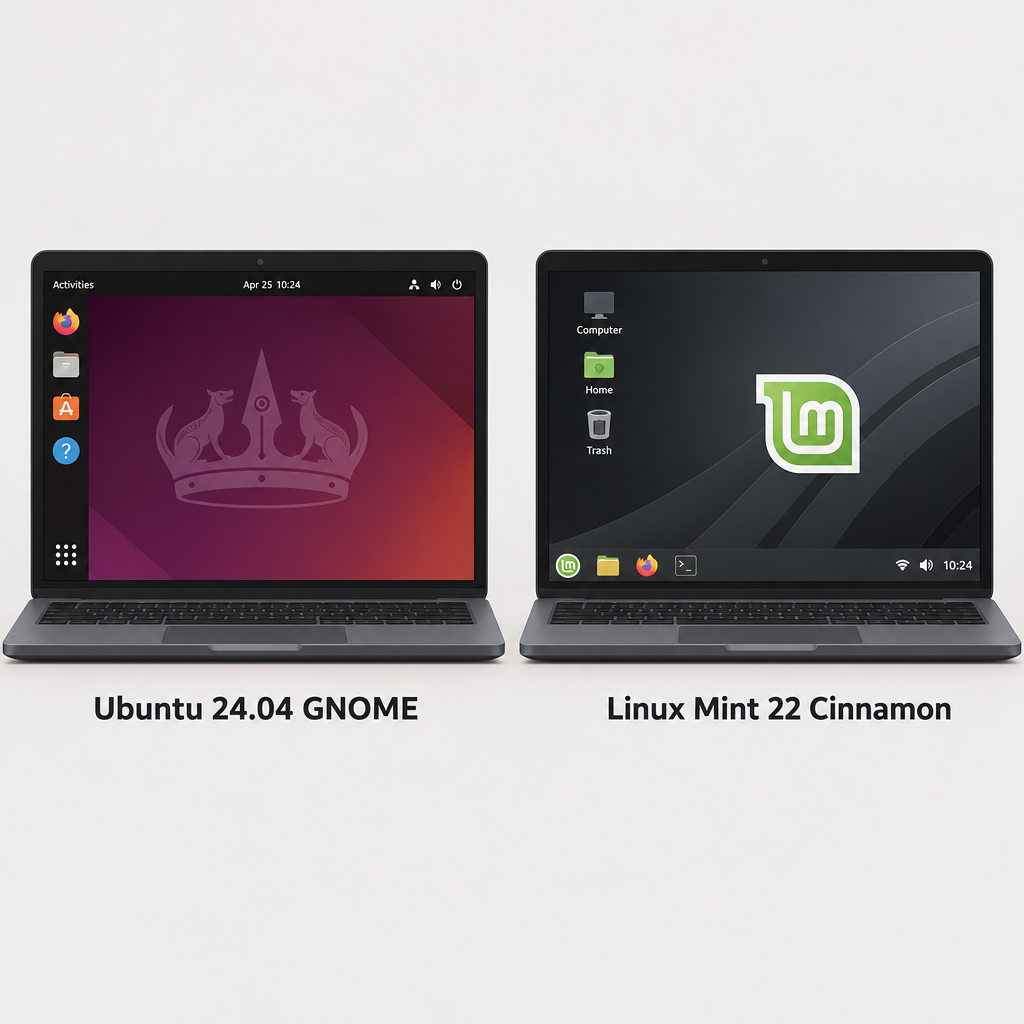
Canonical, a UK company, makes Ubuntu. It ships a new version every six months and a long-term support (LTS) release every two years in April. The Linux Mint team takes each Ubuntu LTS base and builds its own desktop, tools and defaults on top.
That means the low-level parts are shared: the kernel, ALSA drivers, PipeWire, compilers and libraries. Your audio interface, MIDI controller and USB drivers behave the same way on both. A class-compliant interface like a Focusrite Scarlett or Behringer UMC works on either because the driver lives in the kernel, not the distro. The settings on your mic preamp are hardware anyway, so no distro choice changes how your vocals hit the converter.
Where they split is everything you see and touch.
The 8 differences that matter
1. Desktop: GNOME vs Cinnamon
Ubuntu uses GNOME with a few Canonical tweaks, mainly a permanent dock on the left. You launch apps from the Activities overview, and window management leans on keyboard shortcuts and workspaces. It looks modern and stays out of the way, but the layout feels foreign if you come from Windows.
Linux Mint 22 Cinnamon gives you a bottom panel, a start menu, a system tray and a desktop with icons. Most Windows users are productive within an hour. Cinnamon also supports applets (panel widgets), desklets (desktop widgets) and themes through its Spices system, all from System Settings.
For music work, Cinnamon has one practical edge. Its default X11 session sidesteps the occasional Wayland quirk with plugin windows, which many audio plugins still draw through X11. Ubuntu’s GNOME runs plugin GUIs through XWayland, and that works fine most of the time. When a plugin window misbehaves, logging into “Ubuntu on Xorg” from the login screen’s gear icon is the usual fix.
If you want a lighter desktop, Mint offers MATE and Xfce editions on the same base and support schedule. Ubuntu covers this with official flavours: Xubuntu (Xfce), Kubuntu (KDE Plasma), Ubuntu MATE, Lubuntu (LXQt) and Ubuntu Studio.
2. Memory use and older hardware
Cinnamon generally uses less memory at idle than GNOME, and the official requirements show the gap.
| Requirement | Ubuntu Desktop 24.04 | Linux Mint 22 |
|---|---|---|
| CPU | 2 GHz dual-core | 64-bit processor |
| RAM | 4 GB | 2 GB (4 GB recommended) |
| Disk | 25 GB | 20 GB (100 GB recommended) |
| Screen | Not specified | 1024×768 |
Those are minimums for booting and browsing, not for running a DAW. For music production, plan on 8 GB of RAM as a floor and 16 GB if you load sample libraries or run many synth instances. Mint’s lower overhead matters most on older laptops, where every spare gigabyte goes to your project instead of the desktop.
3. Snaps vs Flatpak and .deb packages
This is the most argued-about difference in any Ubuntu vs Mint thread.
Ubuntu pushes snaps, Canonical’s self-contained package format. Firefox, Thunderbird and many App Center listings install as snaps. Snaps update automatically in the background and bundle their own dependencies.
Linux Mint blocks snapd by default with an APT preference file at /etc/apt/preferences.d/nosnap.pref. Mint ships Firefox as a regular .deb from its own repository. For newer apps, Mint’s Software Manager uses Flatpak with Flathub enabled out of the box.
For audio, both sandboxed formats share a known problem: the DAW often can’t see plugins installed system-wide in /usr/lib/lv2 or /usr/lib/vst3. Flathub works around this with Linux Audio plugin extensions, but only for plugins that someone has packaged that way. The cleanest setup on either distro is to install your DAW and plugins the same way, preferably as .deb packages or the developers’ own installers.
Watch out
Don’t mix a Flatpak DAW with plugins installed through apt. The DAW won’t find them, and it looks like a broken plugin rather than a sandbox issue.
4. Software Manager vs App Center
Mint’s Software Manager is fast and plain. It lists apt packages and Flatpaks side by side, labels which is which, and in Mint 22 it hides unverified Flatpaks by default. You can show them again in its preferences.
Ubuntu’s App Center (new since 23.10) looks more polished and puts snaps first. Debian packages are there, but you have to look for them. If you prefer the terminal, both distros use apt the same way, and package names match because the repositories are shared.
Mint also gives you a graphical Software Sources tool for switching to a faster download mirror. It also handles adding PPAs and fixing duplicate or broken entries. Ubuntu’s Software & Updates covers some of this but feels thinner.
5. Updates, snapshots and release cycle
A working audio system is worth protecting. Mint is built around that idea.
Mint’s Update Manager lets you choose when updates happen, delay kernel upgrades, and see each package’s changelog before installing. Timeshift comes preinstalled and prompts you to set up system snapshots during first boot. If a kernel update breaks your interface or adds xruns, you roll back in two minutes.
Ubuntu installs security updates automatically through unattended-upgrades, and snaps refresh on their own. You can install Timeshift on Ubuntu with sudo apt install timeshift, but you have to remember to do it.
| Release | Based on | Released | Supported until |
|---|---|---|---|
| Ubuntu 24.04 LTS “Noble Numbat” | Debian | April 2024 | April 2029 (standard) |
| Linux Mint 22 “Wilma” | Ubuntu 24.04 | July 2024 | April 2029 |
| Linux Mint 22.1 “Xia” | Ubuntu 24.04 | January 2025 | April 2029 |
| Linux Mint 22.2 “Zara” | Ubuntu 24.04 | 2025 | April 2029 |
| Ubuntu interim releases | Debian | Every 6 months | 9 months each |
Mint point releases like 22.1 and 22.2 are free upgrades through Update Manager. The whole 22.x series ends with Ubuntu 24.04’s standard support. Ubuntu interim releases get newer software but only nine months of updates, which is too short for a stable studio machine.
6. Audio stack and kernels
Both Ubuntu 24.04 and Mint 22 use PipeWire as the sound server. PipeWire replaces PulseAudio for desktop sound and also serves JACK-aware apps like Ardour, Carla and Qtractor through its JACK compatibility layer. You no longer need to start and stop a separate JACK server for most work.
Both run the same 6.8-based kernel at release and can install newer hardware enablement (HWE) kernels. Ubuntu has two audio extras that Mint can’t officially offer:
- Ubuntu Pro real-time kernel. With a free personal Ubuntu Pro token,
sudo pro enable realtime-kernelinstalls a PREEMPT_RT kernel. Very few home setups need it, but it helps on systems chasing very small buffers. - Ubuntu Studio Installer. On any official Ubuntu flavour, this tool adds Ubuntu Studio’s audio tuning and app bundles to a normal install.
On Mint, you get the same results by hand with boot parameters and limits files, covered in the setup section below.
7. Codecs and apps out of the box
Both installers have a checkbox for third-party drivers and media codecs, so MP3, AAC and H.264 playback work right after setup on either.
Mint ships more desktop tools by default. You get Celluloid for video, Hypnotix for IPTV, Warpinator for sending files across your network, and Driver Manager for graphics and Wi-Fi drivers. Ubuntu keeps the default install leaner and asks you to add what you need. Neither ships a DAW. Rhythmbox handles music playback on both.
8. Commercial support and hardware certification
This is Ubuntu’s strongest card. Canonical sells support contracts, certifies laptops from Dell, Lenovo and HP, and is the distro that commercial audio vendors name in their system requirements. Bitwig, Tracktion and others publish Ubuntu packages and test against Ubuntu LTS releases.
Mint has no paid tier. In practice, an app that installs on Ubuntu 24.04 installs on Mint 22. But if a vendor’s support desk asks what you’re running, “Ubuntu” is the answer they expect.
Music software on Ubuntu and Mint
Because the package base is shared, your DAW and plugin options are identical. Here’s what runs on both.
| Software | Price | Licence | How to install |
|---|---|---|---|
| Ardour 8 | Pay what you want for official builds | GPL-2.0 | Ardour website, distro repo (older version), Flathub |
| REAPER | $60 discounted licence, 60-day evaluation | Proprietary | Tarball with install script from Cockos |
| Bitwig Studio | Paid, from $99 (Essentials) | Proprietary | .deb or Flatpak from Bitwig |
| Waveform Free | Free | Proprietary | .deb from Tracktion |
| LMMS | Free | GPL-2.0 | Repo, Flathub, AppImage |
| Audacity | Free | GPL | Repo, Flathub, AppImage |
| Hydrogen | Free | GPL-2.0 | Repo, Flathub |
| Surge XT | Free | GPL-3.0 | .deb from Surge Synth Team (VST3, CLAP, LV2) |
A few notes from using these on Linux. Ardour’s unpaid ready-to-run download is a demo that periodically goes silent. Pay any amount and it unlocks, or build from source for free. The version in the Ubuntu and Mint repositories works but lags behind the current release. Bitwig, a co-creator of the CLAP plugin format, has the best CLAP support of any Linux DAW.
For editing, the Audacity audio editor covers podcast cleanup, sample chopping and quick bounces. Guitarists can try Guitarix, an amp simulator with its own guitar tuner built in. For effects, LSP Plugins, x42 and Calf (all in the repositories) cover EQ, compression, reverb and chorus-style automatic double tracking at no cost. If you need Windows VST plugins, yabridge (GPL-3.0) bridges them through Wine on either distro, with mixed results depending on the plugin’s copy protection.
Setting up either distro for low-latency audio
The steps below work identically on Linux Mint 22 and Ubuntu 24.04.
Quick steps: low-latency audio on Mint 22 or Ubuntu 24.04
- Update fully and take a Timeshift snapshot.
- Run
sudo apt install pipewire-jack qpwgraph. - Add yourself to the audio group and set realtime limits.
- Add
preempt=full threadirqsto your boot options. - Set 48 kHz and a 128-sample buffer with
pw-metadata. - Start your DAW with
pw-jack.
Give your user realtime priority
Create /etc/security/limits.d/audio.conf with sudo nano and add two lines: @audio - rtprio 95 and @audio - memlock unlimited. Then run sudo usermod -aG audio $USER and log out and back in. Without this, your DAW can’t claim realtime scheduling and you’ll hear crackles at small buffers.
Switch the kernel to full preemption
Open /etc/default/grub, find the GRUB_CMDLINE_LINUX_DEFAULT line and add preempt=full threadirqs inside the quotes. Run sudo update-grub and reboot. Ubuntu Studio uses this same approach on the generic kernel instead of a separate lowlatency kernel.
Set sample rate and buffer size
Run pw-metadata -n settings 0 clock.force-rate 48000 and pw-metadata -n settings 0 clock.force-quantum 128. At 48 kHz, a 128-sample buffer adds about 2.7 ms of latency per buffer. A 256-sample buffer adds about 5.3 ms. Start at 256 for mixing and drop to 128 or 64 for tracking.
These settings reset at reboot. Once you’ve found values that run without xruns, add them to a PipeWire config file in ~/.config/pipewire/pipewire.conf.d/.
Producer tip
Launch JACK apps with pw-jack ardour (or pw-jack carla) so they use PipeWire’s JACK library. Use qpwgraph to route audio between apps visually, then save the patchbay to restore your routing next session.
Ubuntu Studio: the third option
If music is the machine’s main job, Ubuntu Studio deserves a look before you commit to either. It’s an official Ubuntu flavour with KDE Plasma and the realtime tweaks above already applied. It preinstalls Ardour, Carla, Hydrogen and a large plugin set. Its Ubuntu Studio Audio Configuration tool handles PipeWire and JACK settings in a GUI.
The catch is support length. Flavours get three years on LTS releases, so Ubuntu Studio 24.04 runs until April 2027 versus 2029 for Ubuntu and Mint. It also installs a lot you may never open. Many producers end up preferring Mint with a hand-picked set of tools, because they know exactly what’s on the system.
Linux Mint vs Ubuntu: pros and cons
Linux Mint 22 Cinnamon
Pros
– Familiar desktop layout for Windows users
– Lower memory use than GNOME
– Timeshift and controlled updates protect a working audio setup
– No forced snaps, with Flathub built in
– Same packages and drivers as Ubuntu 24.04
Cons
– No commercial support or hardware certification
– Wayland session is still experimental
– No official real-time kernel or Ubuntu Studio Installer
– Vendors rarely mention Mint by name in requirements
Ubuntu 24.04 LTS
Pros
– Official target for commercial Linux audio software
– Ubuntu Pro: free real-time kernel and extended security updates on personal machines
– Up to 12 years of support with Pro and Legacy
– Clean upgrade path to Ubuntu Studio
– Largest pool of tutorials and community answers
Cons
– GNOME takes adjustment for Windows users
– Snaps can be slower to launch and complicate plugin paths
– Higher RAM baseline
– Automatic updates need managing on a studio machine
Installation process and learning curve
Both install from a USB stick in about 15 minutes. Ubuntu 24.04 uses a newer Flutter-based installer with options like ZFS and experimental TPM-backed disk encryption. Mint 22 keeps the older Ubiquity installer, which looks dated but asks fewer questions.
After installation, Mint opens a Welcome Screen that walks you through drivers, codecs, snapshots and updates. Ubuntu’s first-run wizard is shorter. Most beginner tutorials written for Ubuntu work word for word on Mint, apart from anything involving snaps or GNOME settings menus.
For someone switching from Windows, expect a day to feel comfortable in Mint and a few days in GNOME. For audio work specifically, the learning curve is PipeWire and plugin formats, which are identical on both.
Which should you choose?
Choose Linux Mint 22 Cinnamon if you’re coming from Windows, your laptop has 8 GB of RAM or less, or you want a studio machine you can freeze in a known-good state. This is our pick for most home producers working with free tools.
Choose Ubuntu 24.04 if you buy commercial Linux software and want the vendor’s officially supported platform. It also suits you if you need Ubuntu Pro’s real-time kernel or work in an organisation that pays for Canonical support.
Choose Ubuntu Studio if you want everything preconfigured for audio today and don’t mind a three-year support window.
Both cost nothing, so you can test them. Boot each from a live USB, plug in your interface, open a browser and play some audio. Ten minutes on each tells you more than any comparison chart.
FAQ
Is Linux Mint better than Ubuntu for beginners?
For most beginners coming from Windows, yes. The Cinnamon layout is immediately familiar, and the Welcome Screen guides you through drivers and codecs. Mint also blocks snaps, which removes one source of confusion.
Can I install Ubuntu software on Linux Mint?
Almost always. Mint 22 uses Ubuntu 24.04’s repositories, so .deb packages built for Ubuntu 24.04 install normally. Snaps are the exception, since Mint blocks snapd until you remove the nosnap.pref file.
Is Linux Mint 22 Cinnamon good for music production?
Yes. It ships PipeWire by default, runs every Linux DAW that Ubuntu runs, and includes Timeshift for rolling back bad updates. Add realtime limits and the preempt=full boot option, and it handles 128-sample buffers on reasonable hardware.
Do Ubuntu and Mint cost anything?
No. Both are free to download and use. Ubuntu Pro is free for personal use on up to five machines and paid for businesses. Mint is funded by donations and has no paid tier or upsells.
Do I need a low-latency kernel for recording?
Usually not. The generic kernel with preempt=full threadirqs boot parameters and realtime user limits is enough for tracking and mixing at 128 or 256 samples. Ubuntu Pro’s real-time kernel is worth testing only if you need buffers of 64 samples or lower.